Bolakale is a Content Writer at Ogabassey with over five years of experience creating clear, practical content for online shoppers. He specialises in product reviews, buying guides, and how-to explainers across consumer electronics and gadgets, translating technical specifications into plain-language advice. His writing helps Nigerian buyers compare options and choose the right products with confidence.
Buying a used iPhone can still be one of the best ways to save money in 2026, but the checklist is stricter than it was a year ago. Battery condition, Activation Lock, replacement parts, storage, carrier lock, software support, and return policy all affect whether a second-hand iPhone is a bargain or a repair bill waiting to happen.
This guide keeps the focus on what to check when buying a used iPhone in person, online, or as a “UK used” import. Use it before paying, not after. If the seller will not let you inspect the phone, test it on your SIM or eSIM, confirm iCloud status, or agree to a reasonable return window, treat that as part of the price risk.
Start with the checks that can make a used iPhone unusable or overpriced: Activation Lock, battery, storage, parts, and carrier status.
Who This Used iPhone Checklist Is For
This checklist is for buyers who want an iPhone for daily use, not just a cheap device that powers on. It is especially useful if you are buying from a marketplace seller, a local phone shop, a friend, or an online refurbished listing where the phone may have been repaired, imported, carrier-locked, or previously owned by more than one person.
If you are comparing platforms, read Ogabassey’s used Android phone checklist too. Android phones can offer better value at some prices, while iPhones usually hold resale value better and get long software support. If you specifically want to avoid scams, use the red-flag section below before you pay.
Key Buying Context for 2026
In 2026, do not judge a used iPhone only by camera megapixels or how clean the body looks. Software support matters more. A phone that cannot run current iOS versions may still make calls, but app compatibility, security updates, banking apps, and resale value can become weaker faster.
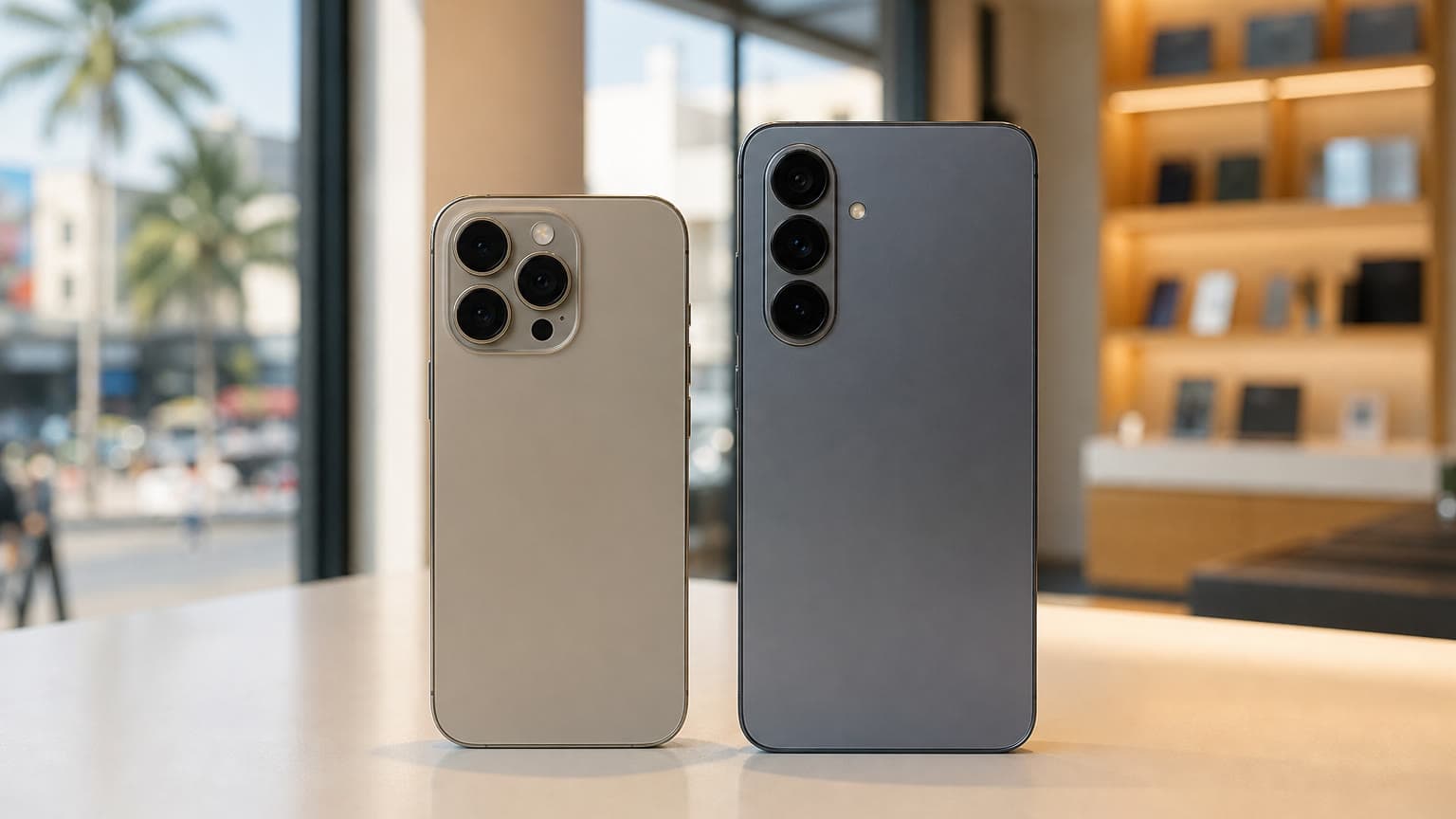
For a safer 2026 purchase, prioritize iPhone 11 or newer if your budget allows. iPhone 12 and newer add 5G, while iPhone 15 and newer move to USB-C instead of Lightning. If Apple Intelligence features matter to you, look at iPhone 15 Pro models, iPhone 16 models, or later. Apple’s own support requirements also note that Apple Intelligence needs compatible hardware, current software, and enough free storage, so do not buy an older iPhone expecting every new AI feature to appear after an update.
Storage is another value check. A 64GB iPhone can work for light use, but 128GB is the practical floor for most buyers who use WhatsApp, photos, videos, banking apps, ride-hailing apps, and offline media. Because iPhones do not support microSD cards, a cheap low-storage model may become frustrating before the battery or screen fails.
1. Confirm Activation Lock and iCloud Status
This is the first deal-breaker. Turn the iPhone on and check what screen appears. If you see “iPhone Locked to Owner,” do not buy it unless the seller removes the device from their Apple Account in front of you. A locked iPhone may be lost, stolen, or simply not properly prepared for resale, but the buyer’s problem is the same: you may not be able to activate it.
If the phone opens to the Home Screen, go to Settings and confirm the previous owner is signed out. If the seller says they will send the password later, walk away. A clean used iPhone should be erased, activation-ready, and able to complete setup with your own Apple Account before final payment.
2. Check Battery Health and Replacement Cost
Open Settings, then Battery, then Battery Health & Charging. Check Maximum Capacity and any warning messages. A battery at 80% or higher is generally acceptable for many used buyers, but it is not automatically “good.” A heavy user may still need a replacement soon if the phone drains quickly, heats up, or shuts down under load.
Use battery health as a negotiation point. If the battery is below 80%, price the phone as if a battery replacement is part of the purchase. Also check whether battery health information is missing or blocked by an unknown part warning. That can happen when a battery has been replaced outside Apple’s normal parts and calibration process.
3. Inspect Parts and Service History
On supported iPhones running recent iOS versions, open Settings, then General, then About, and look for Parts and Service History. If you see “Genuine Apple Part,” the part was replaced using Apple-recognized parts and processes. If you see “Unknown,” the part may be non-genuine, not working as expected, incomplete, or previously used in another iPhone.
An unknown display, camera, or battery does not always mean the phone is unusable, but it should change the price. Test the affected part harder and ask who repaired it. A replacement screen can affect brightness, touch response, Face ID reliability, True Tone, water resistance, and resale value. A replacement camera can affect focus, stabilization, and low-light photos.
4. Verify Carrier Lock, SIM, eSIM, and Network Support
Go to Settings, General, About, then check Carrier Lock. If it says “No SIM restrictions,” the iPhone is unlocked. If it shows a carrier, confirm that carrier can unlock it before you pay. Apple does not unlock carrier-locked iPhones; the carrier does.
For “UK used” or other imported iPhones, test your own SIM or eSIM. Make a call, receive a call, browse on mobile data, and check hotspot if you need it. iPhone 12 and newer support 5G, but 5G usefulness depends on the exact model, region, and your network coverage. If you travel or switch networks often, an unlocked iPhone is worth paying more for.
5. Match the IMEI, Model, Storage, and Seller Claims
Dial *#06# or check Settings, General, About to see the IMEI, model name, model number, serial number, and storage capacity. These should match the box, receipt, and listing. If a seller advertises 256GB but Settings shows 128GB, trust the phone, not the listing.
You can also use the IMEI to ask your carrier whether the device can be activated on its network. Be careful with third-party IMEI sites that overpromise blacklist, iCloud, or unlock checks. They can be useful as a signal, but they are not a replacement for physically activating the iPhone and testing it with your own connection.
6. Test Face ID or Touch ID
Face ID and Touch ID are not cosmetic features. They affect unlocking, banking apps, password autofill, Apple Pay where available, and resale value. Ask the seller to erase any old biometric data, then try setting up Face ID or Touch ID yourself. If setup fails repeatedly, assume there is hardware damage unless a technician proves otherwise.
Be especially careful with iPhones that have had screen, front camera, or water-damage repairs. Face ID repairs can be expensive, and some buyers only discover the issue after they get home and try to use secure apps.
7. Inspect the Display, Frame, Cameras, Speakers, and Microphones
Remove the case before judging the body. Check the screen for cracks, dead pixels, green lines, pressure marks, burn-in, and uneven brightness. Open a white page and a dark page to spot display faults. Test True Tone in Display & Brightness when available; missing True Tone can be a clue that the screen was replaced, though it is not the only possible explanation.
Open the Camera app and test every lens the model includes: main, ultra-wide, telephoto, front camera, Portrait mode, video, flash, and stabilization while walking. Then record a Voice Memo, make a speakerphone call, play music at high volume, and test both charging and data transfer if you have a cable available. For iPhone 15 and newer, check USB-C charging; for older models, inspect the Lightning port for debris, looseness, or intermittent charging.
A physical inspection should cover the screen, cameras, biometric unlock, ports, buttons, speakers, microphones, and signs of repair.
8. Check Water Damage and Repair Clues
Do not rely on “never opened” or “never repaired” claims. Look for lifted screens, uneven bezels, missing screws, weak haptics, muffled speakers, fog inside camera lenses, corrosion in the charging port, and a SIM tray liquid contact indicator if visible. Water resistance is not permanent, and it becomes less reliable after drops, aging, or third-party repairs.
If the phone heats up during simple setup, loses battery percentage quickly, restarts, or struggles to charge, factor that into the price or leave it. A very clean exterior can still hide board-level damage.
Price, Warranty, and Return Policy
A used iPhone deal should include more than a low asking price. Compare the price against the same model with the same storage, battery health, warranty, accessories, and lock status. A cheaper iPhone with no return option, weak battery, unknown screen, and carrier lock may cost more than a cleaner one from a seller who gives a written warranty.
Ask for the receipt if available, but do not treat a box as proof of ownership. Boxes can be swapped. A short return window is valuable because some faults appear only after setup, charging, camera use, app installs, or a full day on mobile data. If you need a charger, case, screen protector, or cable after purchase, budget for Ogabassey accessories instead of treating accessories as an afterthought.
Trade-Offs: When a Used iPhone Is Not the Best Buy
A used iPhone is not always the right answer. If the price is close to a newer model, choose the newer phone with better battery life and longer support. If you need Apple Intelligence, do not buy an iPhone 11, 12, 13, 14, or regular iPhone 15 expecting full support. If you need the lowest possible repair cost, compare used Android options too.
Older iPhones such as iPhone XR and XS can still be useful for light tasks, but they are riskier buys in 2026 because of software-support and battery-age concerns. If you are considering one, read Ogabassey’s iPhone XR buying context and the guide on what to buy after iPhone XR before paying.
Alternatives Worth Comparing
If your budget is tight, compare a used iPhone 12 or 13 against a newer midrange Android phone and against Ogabassey’s best iPhones under ₦500,000 guide. If you want USB-C, start with iPhone 15 or newer. If you want Apple Intelligence, start with iPhone 15 Pro or newer. If you simply want iMessage, FaceTime, good video, and reliable daily performance, an unlocked iPhone 12, 13, or 14 with 128GB storage and healthy battery can still be a sensible 2026 buy.
FAQ
What to check when buying a used iPhone?
Check Activation Lock first, then battery health, Parts and Service History, carrier lock, IMEI, storage, Face ID or Touch ID, cameras, display, speakers, microphones, charging port, Wi-Fi, mobile data, and return policy. Do not pay until the phone can be activated and tested with your own account or SIM where practical.
What to check before buying a second hand iPhone online?
Buy from a seller with a clear return policy, real photos, battery-health disclosure, storage disclosure, carrier-lock status, and written condition grading. When it arrives, inspect it immediately. If it is Activation Locked, has undisclosed parts warnings, cannot charge, or does not match the listing, return it within the policy window.
What are the things to check when buying a UK used iPhone?
For a UK used iPhone, confirm it is unlocked, supports your local carrier, accepts your SIM or eSIM, and is not still tied to the previous owner’s Apple Account. Also check the charger type, region model, warranty expectations, battery health, and whether any replacement parts are marked unknown.
Is 80% battery health okay for a used iPhone?
It can be acceptable if the price reflects it, but it is the point where many buyers should start budgeting for replacement. If the phone is expensive, below 80%, or showing battery warnings, negotiate hard or choose another unit with better battery health.
Verdict
The safest used iPhone in 2026 is not simply the cleanest one. It is the one you can activate, update, unlock, test, and return if the seller’s claims are wrong. Prioritize iPhone 11 or newer for software support, 128GB or more for comfort, 80% or better battery health for daily use, “No SIM restrictions” for network flexibility, and a seller who will stand behind the device. If any major check fails, the best bargain is usually the one you refuse.
Used iPhone Scam Red Flags to Check Before Paying
Use these scam checks before handing over cash, especially for UK-used iPhones, Instagram sellers, marketplace listings, and unusually cheap offers.
Battery health below 85% changes the real price. If Maximum Capacity is below 85%, budget for a battery replacement; below 80% should reduce the price sharply.
Activation Lock must be off. Do not buy any iPhone still signed in to another Apple ID or showing Activation Lock during setup.
Carrier lock and region warnings matter. Test your SIM or eSIM before paying and avoid vague “factory unlocked” claims without proof.
Check parts and service history. In Settings, look for replaced display, camera, or battery notices; aftermarket repairs can affect Face ID, True Tone, water resistance, and resale value.
Test cameras, speakers, microphone, Face ID, charging, buttons, Wi-Fi, Bluetooth, mobile data, buttons, and charging before paying. A clean body is not enough.
Be careful with receipt excuses. No receipt, no return window, no inspection time, or pressure to pay immediately should lower your trust.
If a seller refuses any of these checks, walk away or price the phone like a repair-risk device.
Catalog-linked prices update automatically. Historical and other quoted prices remain as written. Open the product page to confirm the current price, selected variant and availability before buying.