Decision Summary
If you are choosing between the iPad Pro M4 and the Galaxy Tab S10 Ultra in 2026, the honest answer is no longer simply “which flagship is faster?” Both are now previous-generation models: Apple moved the iPad Pro line to M5 in October 2025, and Samsung followed the Tab S10 Ultra with the Tab S11 Ultra in September 2025. That changes the buying question. The better pick is the one that fits your workflow and is discounted enough to make skipping the newer model sensible.
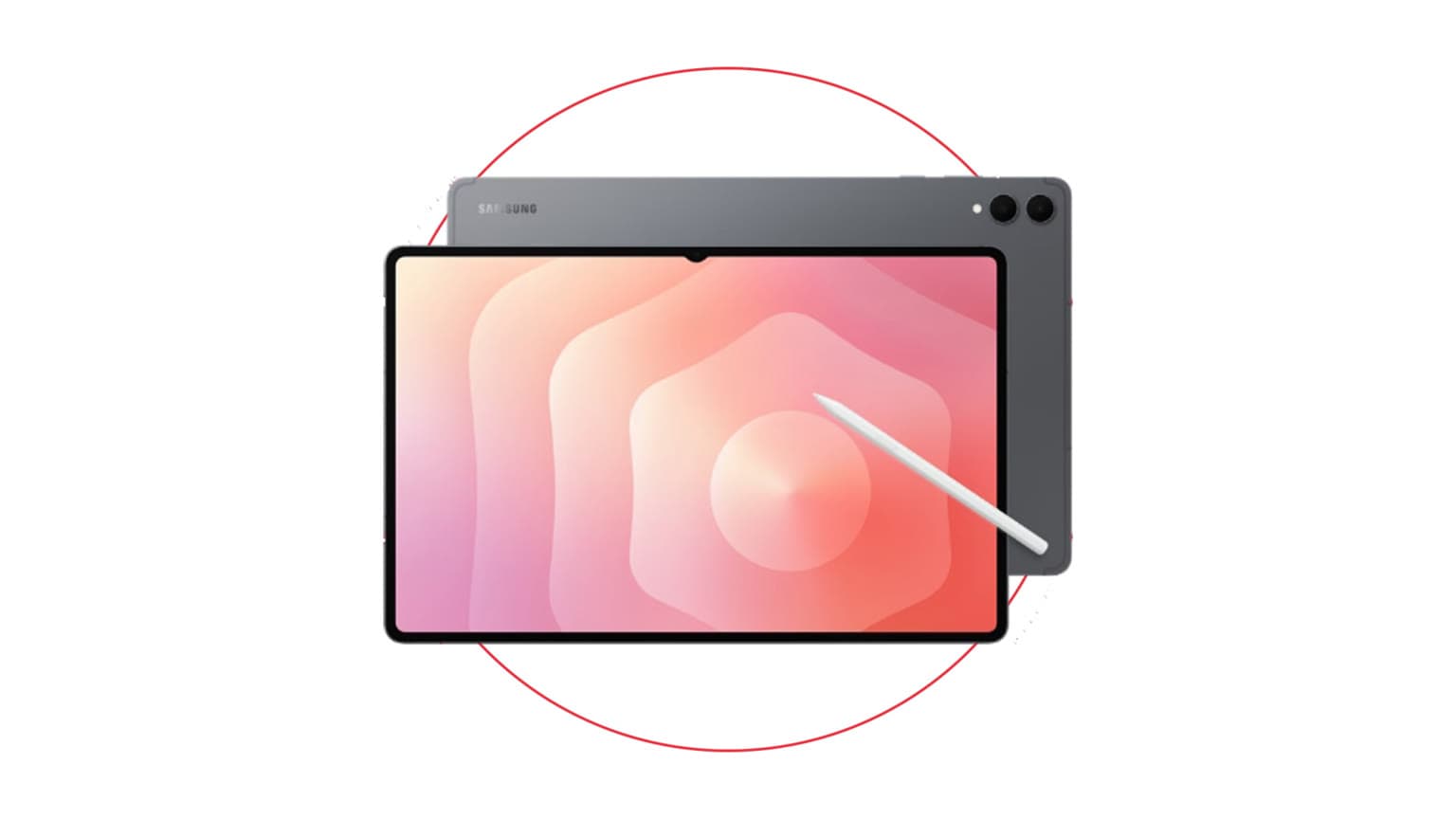
The iPad Pro M4 is still the stronger choice for creators who use Final Cut Pro, Logic Pro, Procreate, DaVinci Resolve, Affinity apps, high-end drawing tools, or Apple-only workflows. Its M4 chip, Ultra Retina XDR tandem OLED display, Thunderbolt/USB 4 port, and iPadOS 26 compatibility keep it firmly in pro-tablet territory. The Galaxy Tab S10 Ultra is the better fit if you want the largest canvas, Android flexibility, Samsung DeX, included S Pen value, expandable storage, and a laptop-like split-screen setup without buying into Apple accessories.
Short version: choose iPad Pro M4 for raw performance, color-critical creative apps, and Apple ecosystem depth. Choose Galaxy Tab S10 Ultra for screen size, DeX multitasking, microSD expansion, and better out-of-box accessory value.
Key Specs at a Glance
| Feature | iPad Pro M4 13-inch | Galaxy Tab S10 Ultra |
|---|
| Display | 13-inch Ultra Retina XDR tandem OLED, 120Hz | 14.6-inch Dynamic AMOLED 2X, 120Hz |
| Aspect ratio feel | More square; better for documents, drawing, timelines, and reading | Wider; better for video, side-by-side apps, and DeX |
| Processor | Apple M4 | MediaTek Dimensity 9300+ |
| Memory and storage | 8GB RAM on 256GB/512GB models; 16GB RAM on 1TB/2TB models; no microSD | 12GB RAM with 256GB/512GB, 16GB with 1TB; microSD support up to 1.5TB |
| Stylus | Apple Pencil Pro sold separately | S Pen included |
| Keyboard | Magic Keyboard sold separately | Book Cover Keyboard sold separately |
| Durability | No official IP rating for the tablet | IP68-rated tablet and S Pen |
| Software in 2026 | Supports iPadOS 26 | Launched on Android 14/One UI 6.1.1 with Samsung long-term update support |
Price and Value in 2026
At launch, both tablets were premium buys, especially once keyboards, cases, chargers, and storage upgrades were included. In 2026, value depends heavily on discounts and condition. The iPad Pro M4 should no longer be priced as if it were Apple’s newest iPad Pro, because the M5 iPad Pro brings newer wireless hardware, faster storage, higher starting memory on entry models, and stronger AI performance. If the M4 model is only slightly cheaper than the M5, buy the newer iPad instead.
The Galaxy Tab S10 Ultra faces the same pressure from Samsung’s Tab S11 Ultra. Its case is strongest when the discount is meaningful or when the S Pen, 14.6-inch display, and expandable storage solve a real need. For buyers who want a large Samsung tablet but do not need the S10 Ultra specifically, the older Samsung Galaxy Tab S9 Ultra can also be worth checking if it is available at a lower price and warranty terms are clear.
Before buying either device in 2026, verify three practical details: whether the listing is new, open-box, refurbished, or used; whether the warranty is manufacturer-backed or seller-backed; and whether accessories are included. A cheap iPad Pro without Pencil or keyboard may cost more in the end than a Samsung bundle with S Pen and keyboard. A cheap Galaxy Tab without a reliable return policy is also not a bargain if the battery, display, or charging port has been abused.
Performance and Daily Use
The iPad Pro M4 has the performance advantage. Apple’s M-series silicon remains unusually strong for a tablet, and the M4 still has more headroom for video exports, large layered artwork, 3D rendering, advanced photo editing, and AI-assisted creative work than most Android tablets. If your work depends on pro iPad apps, the M4 feels less like a compromise and more like a lightweight workstation.
The Galaxy Tab S10 Ultra is not slow. The Dimensity 9300+ is powerful enough for heavy browsing, note-taking, office work, gaming, media editing, remote work, and multi-window use. The difference is in app depth and sustained pro workflows. Android has improved, and Samsung DeX is genuinely useful, but iPadOS still has the stronger high-end creative app catalog. Samsung wins more often when the job is multitasking across web apps, documents, messaging, cloud dashboards, and file management.
For daily productivity, DeX is the Tab S10 Ultra’s strongest argument. It gives you resizable windows, a taskbar-style workflow, external display friendliness, and a more familiar desktop layout. iPadOS 26 improves iPad multitasking and windowing, but Apple’s model still feels more controlled. That can be a strength if you want app polish and a weakness if your work involves constantly moving files between apps, browser tabs, cloud drives, and external accessories.
Display, Battery, and Build
The iPad Pro M4’s 13-inch tandem OLED display is the better panel for brightness and color-sensitive work. It is especially compelling for HDR video, photo review, illustration, and outdoor-adjacent use where extra brightness matters. Its more square canvas is also practical for documents, sheet music, PDFs, and vertical creative timelines.
The Galaxy Tab S10 Ultra’s 14.6-inch AMOLED display is the better size for people who want a tablet that behaves like a portable monitor. It is excellent for watching video, using two apps side by side, reviewing wide spreadsheets, running DeX, and sketching with lots of tool palettes open. The trade-off is portability: this is a very large tablet. It is not the model to buy if you mostly read in bed, commute with a small sling bag, or hold your tablet one-handed.
Battery life depends on workload. Both can last through normal browsing, streaming, notes, and writing sessions, but heavy gaming, rendering, video export, and max-brightness use drain them faster. Samsung advertises 45W Super Fast Charging support for the Tab S10 series, while iPad Pro charging depends on the USB-C power adapter used. In practice, do not choose either tablet on charging speed alone; choose based on software, display needs, accessory cost, and whether the device size fits your day.
Build quality is premium on both, but Samsung has the durability edge on paper because the Tab S10 Ultra and included S Pen carry an IP68 rating. That does not make it careless-proof, and water resistance can degrade over time, especially on used units. Still, it matters if the tablet will be used around kitchens, workshops, classrooms, or travel bags.
Software Support, AI, and Ecosystem
In 2026, both tablets remain modern enough for serious use. The iPad Pro M4 supports iPadOS 26 and Apple Intelligence features that require Apple silicon. It also works best if you already use a Mac, iPhone, AirPods, iCloud, FaceTime, AirDrop, or Apple Notes. The weakness is cost: Apple Pencil Pro, Magic Keyboard, storage upgrades, and AppleCare can push the total far above the tablet’s sticker price.
The Galaxy Tab S10 Ultra launched with Android 14 and One UI 6.1.1, and Samsung’s flagship tablets now sit inside a longer support window than older Android tablets did. It also integrates well with Galaxy phones, Samsung Notes, Quick Share, Galaxy Buds, Samsung DeX, and Microsoft 365. Galaxy AI tools can help with note summaries, translation, handwriting cleanup, and search, although feature availability can vary by region, app, language, and software version.
The ecosystem question is simple: if your phone and laptop are Apple, the iPad Pro M4 will probably waste less time. If your phone is Samsung or your work lives in Google, Microsoft, and browser-based tools, the Tab S10 Ultra may feel more open and less constrained.
Who Should Buy the iPad Pro M4?
- Buy the iPad Pro M4 if you use pro creative apps and want the strongest tablet performance of these two models.
- Buy it if the display matters more than sheer screen size: HDR work, illustration, design review, and photo editing all suit the iPad well.
- Buy it if you already own Apple hardware and want AirDrop, Sidecar, Universal Control-style workflows, iCloud sync, and familiar Apple services.
- Skip it if you need expandable storage, a stylus in the box, a desktop-like Android experience, or the cheapest possible full setup.
Who Should Buy the Galaxy Tab S10 Ultra?
- Buy the Galaxy Tab S10 Ultra if you want the biggest possible premium tablet screen for multitasking, video, notes, and DeX.
- Buy it if expandable storage matters. The microSD slot is a real advantage for offline media, large document libraries, and field work.
- Buy it if the included S Pen improves the deal and you do not want to pay extra just to start writing or sketching.
- Skip it if your main apps are iPad-only, if you need maximum CPU/GPU headroom, or if a 14.6-inch tablet is too large for your bag or desk.
Alternatives Worth Considering
If you are shopping by price, not loyalty, compare both tablets against their successors before buying. The M5 iPad Pro is the cleaner Apple choice when prices are close, especially for buyers who care about AI performance, Wi-Fi 7, newer cellular hardware, and longer runway as a current model. Samsung’s Tab S11 Ultra is the natural upgrade path for Galaxy buyers who want Samsung’s latest tablet hardware and redesigned S Pen experience.
If you want a Samsung tablet but not the newest price, compare the Tab S10 Ultra with the Samsung Galaxy Tab S9 Ultra and with Ogabassey’s broader tablet coverage, including Battle of the Tablets: iPad Air 5th Generation vs Galaxy Tab S9. If you are mainly comparing Apple versus Samsung ecosystems, Ogabassey’s phone-side comparisons such as Samsung Galaxy S25 Ultra vs iPhone 16 Pro Max can also help you think through the wider platform choice.
Verdict
The iPad Pro M4 wins this comparison for performance, display quality, and pro creative software. It is the safer pick for designers, video editors, illustrators, musicians, and Apple ecosystem users who want a tablet that can replace a laptop for specific high-end work.
The Galaxy Tab S10 Ultra wins for screen size, included stylus value, expandable storage, DeX multitasking, and Android flexibility. It is the more interesting productivity tablet for people who want a giant portable workspace rather than the fastest creative slate.
In 2026, neither should be bought blindly at full flagship pricing. The best buy is the one with a clean warranty, a fair return window, the right accessories, and a discount that reflects its previous-generation status. If prices are close to the newer M5 iPad Pro or Galaxy Tab S11 Ultra, step up to the newer model. If the discount is strong, the iPad Pro M4 and Galaxy Tab S10 Ultra remain two of the most capable tablets you can buy.
Sources