Your iPhone can be a serious content-creation tool, but the best setup in 2026 is not just “turn on 4K and shoot.” The right settings depend on your model, your storage, the platform you are posting to, your lighting, and whether you care more about speed, cinematic quality, or clean audio.
This guide is for creators using recent iPhones, especially the iPhone 13 Pro and newer Pro models, plus everyday creators using the iPhone 13. You do not need a full camera kit to start, but you do need to understand where the iPhone is strong, where it struggles, and which accessories are actually worth buying.
Who this is for
This article is useful if you create Reels, TikToks, Shorts, YouTube videos, product clips, food videos, vlogs, event recaps, or small-business content from your phone. It is also useful if you are deciding whether an older flagship iPhone is still good enough for content work instead of buying a dedicated camera.
The short answer: an iPhone 13 Pro can still produce strong social video in 2026 if the battery is healthy, storage is enough, and the camera lenses are clean and undamaged. The regular iPhone 13 is still capable too, but the Pro model gives creators more flexibility because of the telephoto camera, macro capability, ProRes support, and smoother display. Current Ogabassey catalog availability may change, and both linked iPhone 13-series products are listed with stock caveats, so treat them as comparison references or check availability before planning a purchase.
Key specs and buyer context
For content creation, the camera spec that matters most is not only megapixels. Look at video modes, stabilization, lens options, storage, battery condition, and editing performance.
- Video quality: The iPhone 13 and iPhone 13 Pro support 4K video at common social-friendly frame rates. Use 4K when you want sharper uploads, more room to crop, or better YouTube quality.
- Frame rate: 30fps is the safest default for most Reels, TikToks, Shorts, talking-head clips, and product videos. Use 60fps when there is movement, sports, handheld walking footage, or when you may slow the clip down later.
- Cinematic mode: Useful for portraits, product reveals, and lifestyle clips where background blur helps. It can look artificial around hair, glasses, hands, and busy edges, so review the clip before posting.
- ProRes: On supported Pro models, ProRes gives more editing flexibility, but file sizes are large. It makes sense for paid work, color grading, or YouTube projects, not every casual TikTok.
- Storage: 128GB can feel tight if you shoot 4K often. If you are buying used, 256GB or higher is the more comfortable creator choice.
- Software support: iPhone 13-series models remain relevant because they continue to sit within Apple’s modern iOS support window, including current Apple Intelligence-era iOS compatibility notes where applicable features vary by model.
Start with the right camera settings
Open your iPhone camera settings before you start filming. For most creators, a practical baseline is 4K at 30fps, HDR video enabled only when your editing and upload workflow handles it well, and grid lines turned on for framing. If your videos look washed out after uploading to some apps, test SDR recording or export settings before blaming the camera.
Use the grid to keep faces, products, and horizons aligned. Turn on lens correction if your model supports it, especially for ultra-wide shots. Keep “Most Compatible” formats in mind if you regularly move files to older Windows laptops, Android phones, or third-party editors. Use high-efficiency formats if you mostly edit on iPhone, iPad, or Mac and want to save storage.
Choose the right lens for the platform
The main wide camera is the safest default. It gives the best balance of sharpness, low-light performance, stabilization, and natural perspective. Use it for talking-head videos, food, product demonstrations, indoor clips, and most YouTube Shorts or TikToks.
The ultra-wide camera is good for room tours, car interiors, fashion fit checks, event clips, and tight spaces, but it can distort faces and edges. The telephoto camera on the iPhone 13 Pro is useful for product details, portraits, and compression that makes backgrounds look closer and more polished. That is one reason the iPhone 13 Pro review remains relevant for creators comparing older Pro iPhones.
Stabilize before you upgrade
Shaky footage makes even expensive phones look amateur. Before buying a new phone, improve stabilization. Use both hands, lock your elbows closer to your body, and move slowly. For table videos, use a tripod. For walking shots, use a compact gimbal only if movement is a major part of your content style.
iPhone optical image stabilization helps, but it does not replace careful shooting. If you film products, cooking, hair, makeup, repairs, or unboxings, a small tripod and overhead mount will usually improve your content more than a clip-on lens.
Lighting matters more than resolution
A clean 1080p clip in good light can look better than a noisy 4K clip in poor light. Face a window when filming indoors, but avoid harsh direct sunlight on the face. For night content or indoor business videos, a small LED panel or soft ring light gives more consistent results than the built-in flash.
Golden hour is still useful outdoors, but do not rely on it for every shoot. If you create for a business, build a repeatable lighting setup: one key light, one clean background, and a stable phone mount. Consistency helps your page look intentional.
Do not ignore audio
Bad audio loses viewers faster than slightly imperfect video. The built-in iPhone microphone is fine for close-range casual clips, but it struggles with wind, distance, echo, generators, traffic, and crowded rooms. If you record voice often, a wireless lavalier microphone is one of the highest-value upgrades you can buy.
Before recording, test your mic in the same location where you will film. Listen with headphones. If your room echoes, add soft materials nearby, move closer to the mic, and turn off fans or appliances. For voiceover, record in a quiet room and speak close to the phone instead of trying to fix noisy audio later.
Edit on the iPhone, but keep the workflow simple
You can trim, crop, adjust exposure, and correct color in the Photos app. For short social edits, CapCut remains popular because it is fast for captions, templates, transitions, and vertical exports. iMovie is simple for basic Apple-friendly edits. LumaFusion is better when you need a more serious timeline, multiple audio layers, color controls, and YouTube-style projects.
The 2026 creator workflow should include backups. Do not keep all raw footage only on your phone. Use iCloud, an external drive, a laptop, or another cloud service, especially for paid client work. If you shoot lots of 4K, storage management is part of the job.
Vertical, horizontal, and safe framing
Shoot vertical for TikTok, Instagram Reels, Stories, and YouTube Shorts. Keep the subject away from the top, bottom, and right-side interface areas where app buttons, captions, and usernames may cover the video. Leave extra headroom if you plan to add text.
Shoot horizontal for long-form YouTube, interviews, tutorials, and videos that may be shown on TVs or laptops. If you need one video for every platform, shoot 4K horizontal with the subject centered, then crop a vertical version later. This works best when the scene is not too wide and the subject stays near the middle.
Accessories worth buying first
- Tripod or phone mount: Best first purchase for creators who film alone.
- Wireless lav mic: Best upgrade for talking-head videos, tutorials, reviews, interviews, and business content.
- LED light: Best upgrade for indoor consistency.
- Lens cloth and case: Cheap but important. Fingerprints on the lens can make footage look soft and hazy.
- Power bank: Useful for events, long shoots, and travel days.
Clip-on lenses can be fun, but buy them after you have solved lighting, audio, and stability. Many cheap lenses reduce sharpness or create edge distortion. For more general phone photography habits, Ogabassey’s simple smartphone photography tips are a good companion read.
Trade-offs to know before buying an iPhone for content
The iPhone is strong because it is fast, portable, reliable, and easy to edit on. The trade-off is control. A mirrorless camera still gives better lens choice, larger sensors, stronger background separation, and cleaner low-light video when used well. But for most social creators, the phone wins because it removes friction: shoot, edit, caption, upload, repeat.
Older iPhones can also come with hidden costs. Battery health affects shoot time. Damaged camera glass affects sharpness. Low storage affects recording options. Used devices may have no active warranty unless covered by the seller. Before buying a used iPhone for content, inspect the cameras, test video recording, confirm battery health, check Face ID, verify storage size, and ask about warranty or return terms.
Alternatives to consider
If you prefer Android, Samsung flagships are strong alternatives for zoom range, display quality, and flexible camera controls. Ogabassey has a separate guide on creating social content with Samsung cameras, which is better for readers already in the Galaxy ecosystem.
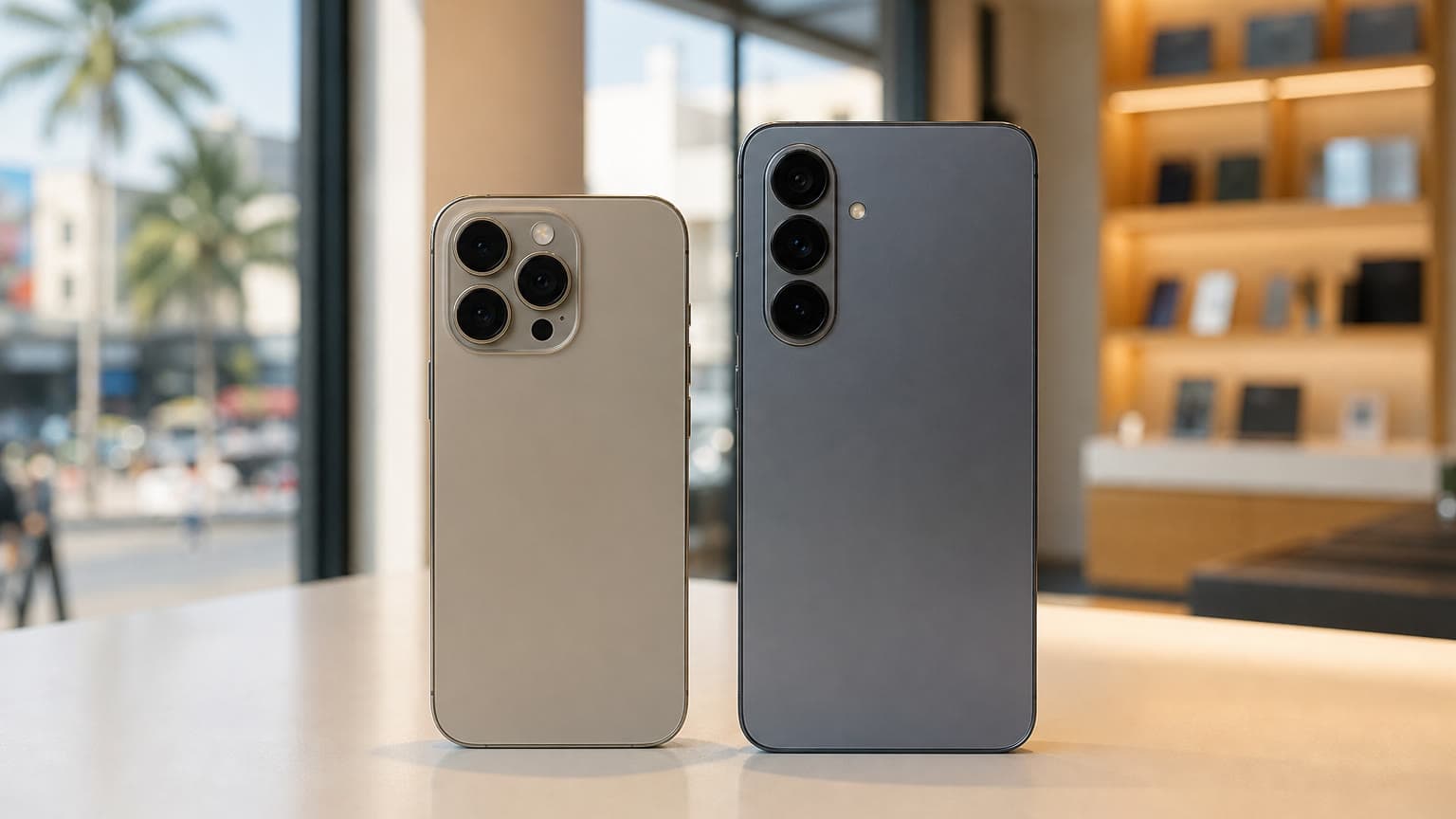
If you are choosing between Apple models, the iPhone 13 Pro is a stronger creator pick than the regular iPhone 13 because of the extra lens and Pro features. Newer Pro and Pro Max models add better sensors, newer processing, longer support runway, and more advanced video tools. The trade-off is price. If you are comparing sizes and battery life, read Ogabassey’s Pro vs. Pro Max buying guide before choosing.
Verdict
Your iPhone can absolutely produce professional-looking Instagram, YouTube, and TikTok content in 2026, especially if you treat it like a production tool instead of just a phone. Start with 4K 30fps, good light, clean audio, stable framing, and a simple editing workflow. Upgrade accessories before upgrading the phone, unless your current iPhone has weak battery life, damaged cameras, too little storage, or missing features your content style genuinely needs.
For buyers, the iPhone 13 Pro remains the more creator-friendly iPhone 13-series option, while the iPhone 13 is still a practical entry point for creators who mostly shoot simple vertical video. Check current availability, warranty, and return terms before buying, because value depends heavily on condition and storage.
Sources