Accessories
Apple • ₦100,000
Apple • ₦150,000
If your iPad supports both, Apple Pencil 2 is the better pick for drawing, handwriting and creative work because it adds pressure sensitivity and wireless magnetic charging. Apple Pencil USB-C is the safer budget choice only when you mainly annotate documents, take notes, or own an iPad model that does not support Apple Pencil 2.
The real question is not simply which Pencil is newer or cheaper. For Nigerian and African buyers, the first check should be exact iPad compatibility, then the second check should be whether you need pressure sensitivity. Apple splits Pencil support by iPad model and generation, so an accessory that looks right can still be wrong for your tablet.
Ogabassey currently lists Apple Pencil 2 as an in-stock accessory, with catalog pricing from ₦100,000 and variant pricing up to ₦150,000 as of the 2026-06-23 catalog update. Because this item uses unmanaged stock in the catalog, treat the status as catalog availability rather than a guaranteed unit count. Confirm the exact condition, package contents and live availability before checkout.
For the wider Apple accessory shelf, start from Ogabassey Accessories if you are also comparing iPad chargers, cases, keyboards or replacement cables. This matters because many iPad buying mistakes happen when the stylus is chosen separately from the exact tablet model and charging setup.

| Buyer decision point | Apple Pencil USB-C | Apple Pencil 2 | Why it matters |
|---|---|---|---|
| Best fit | Notes, PDF markup, light sketching and newer USB-C iPad setups | Drawing, illustration, handwriting-heavy study and creative work | Do not pay for creative features you will not use, but do not underbuy if pressure sensitivity matters. |
| Pressure sensitivity | Not listed by Apple as a supported feature | Supported | This is the biggest functional difference for artists and serious note-takers who vary line weight naturally. |
| Tilt support | Supported on compatible iPad models | Supported on compatible iPad models | Both can shade or angle strokes in apps that support tilt. |
| Charging method | Pairs and charges through a USB-C cable | Pairs and charges magnetically on compatible iPads | USB-C is more manual; magnetic charging is cleaner for daily use. |
| Magnetic storage | Attaches magnetically for storage on supported iPads, but does not wirelessly charge | Attaches magnetically and wirelessly charges on supported iPads | Magnetic storage is not the same as magnetic charging. |
| Double-tap gesture | Not listed as a supported feature | Supported | Useful for switching tools quickly in drawing and note apps. |
| iPad compatibility risk | Works with many USB-C iPad models, including some that do not support Apple Pencil 2 | Works only with specific compatible iPad Air, iPad Pro and iPad mini generations | Model-number checking prevents the most expensive mistake. |
| Ogabassey catalog status | Not included in the provided Ogabassey product snapshot | Catalog-listed product with current price from ₦100,000 | Only Apple Pencil 2 has a provided Ogabassey product record for this draft. |
Apple Pencil USB-C usually makes sense when the buyer wants the lowest-risk stylus for typing-class iPads, school notes, forms, light design markup and casual sketching. It keeps the modern USB-C charging path and broad compatibility with many recent iPad models, but it gives up pressure sensitivity and the more seamless charging experience of Apple Pencil 2.
Apple Pencil 2 makes more sense when the Pencil is part of the reason you bought the iPad. If you use Procreate, Freeform, Goodnotes, Notability, Adobe apps or handwriting workflows every day, pressure sensitivity and magnetic charging are not small extras. They affect how often you use the accessory and how natural it feels.
In Nigeria, price/value also depends on condition and trust. The provided Ogabassey catalog snapshot lists Apple Pencil 2 as used, with condition options noted in the product description as new and used. That means the buyer should confirm the actual variant before payment. A cheaper listing is not automatically a better deal if the tip is worn, the battery is weak, the serial details look suspicious, or the package does not include the expected accessory state.
For handwriting and document markup, both models can feel fast enough on compatible iPads because Apple designs Pencil input for low-latency writing. The important split is not basic writing. It is control. Apple Pencil 2 supports pressure sensitivity, so pressing harder or lighter can change stroke weight in supported apps. Apple Pencil USB-C does not offer that same pressure-sensitive drawing path.
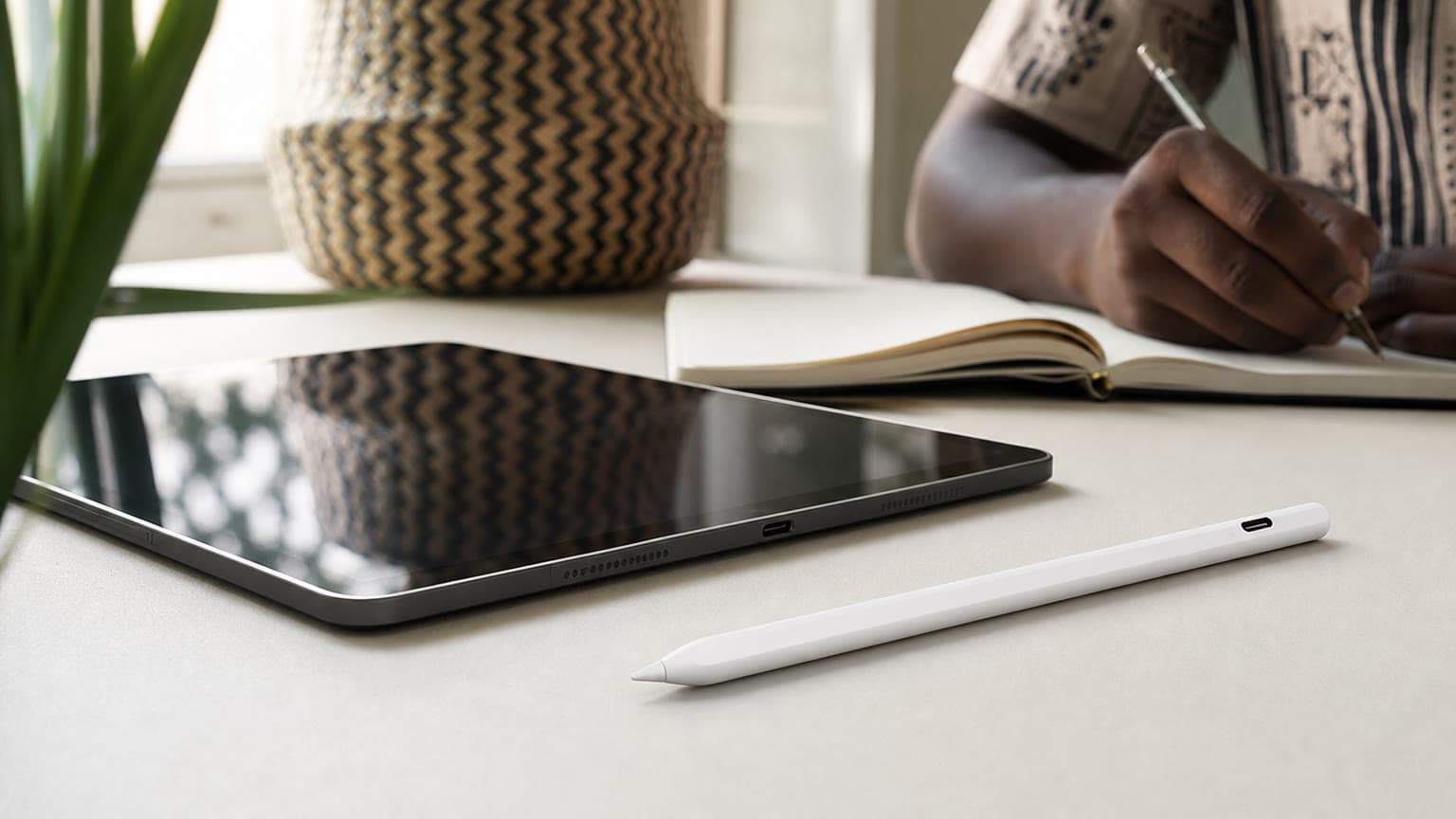
For artists, illustrators, architecture students, fashion designers and creators, Apple Pencil 2 is the stronger choice when compatible. Pressure sensitivity, tilt support, magnetic pairing and the double-tap gesture make the Pencil feel more like a primary tool rather than an occasional accessory. If you already bought an iPad Air or iPad Pro because of its creative display and app support, saving money on the stylus can become the wrong saving.
For students, office users and family tablets, Apple Pencil USB-C may be enough. It is better suited to highlighting PDFs, signing forms, solving math problems, annotating screenshots, making quick diagrams and casual drawing. In those workflows, the missing pressure sensitivity is less painful than it would be for art or design work.
There is no display on either accessory, so the display experience depends on the iPad you pair it with: screen size, refresh rate, laminated glass, app support and palm rejection all matter. A Pencil can only be as comfortable as the iPad surface and software workflow around it.
The charging and storage difference is more important. Apple Pencil 2 magnetically attaches to compatible iPads and charges wirelessly while attached. That is the cleaner daily setup because the Pencil can live on the tablet and stay topped up. Apple Pencil USB-C also attaches magnetically for storage on supported iPads, but charging is through USB-C, so you need to remember the cable step.
Build checks are especially important for used or open-box units. Inspect the tip, flat magnetic side, cap or sliding USB-C area depending on model, and any signs of swelling, cracks or poor fit. For Apple Pencil 2, place it on a compatible iPad and confirm it pairs and charges magnetically. For Apple Pencil USB-C, confirm the USB-C port area opens and connects properly.

Before buying either model, open your iPad settings and confirm the exact model name and generation. Do not rely only on screen size. An 11-inch or 12.9-inch label can still hide different generations with different Pencil support. Apple’s official compatibility pages are the source to use for the final check.
Apple Pencil 2 is compatible with selected iPad mini, iPad Air and iPad Pro generations. Apple Pencil USB-C works with a different broad set of USB-C iPads. Some iPads support Apple Pencil Pro or Apple Pencil USB-C but not Apple Pencil 2, while older Lightning iPads may need Apple Pencil 1 instead. That is why “it is an iPad” is not enough information for a stylus purchase.
| Question to ask | What to check | Best action |
|---|---|---|
| Which accessory works with my exact device? | iPad model name, generation and Apple’s official Pencil compatibility list | Match the model before negotiating price. |
| Is the cheaper accessory missing important features? | Pressure sensitivity, magnetic charging, double-tap and app workflow | Choose Apple Pencil 2 if drawing control matters. |
| How do I avoid buying the wrong stylus? | Pairing method, charging method, serial/trust checks and return agreement | Test on your own iPad before final payment where possible. |
Choose Apple Pencil 2 if you draw, sketch, mark up design work, take heavy handwritten notes, study with diagrams, teach from an iPad, or want the least annoying daily charging routine. The combination of pressure sensitivity and magnetic wireless charging is the main reason to pay more.
Choose Apple Pencil USB-C if your iPad is compatible with it and your work is mostly notes, PDFs, forms, light sketching, classroom use or family sharing. It is also the practical option when your exact iPad model does not support Apple Pencil 2 but does support Apple Pencil USB-C.
If you are buying the iPad and Pencil separately, pause until the iPad model is confirmed. In the used market, sellers may say “works with iPad Pro” or “for iPad Air” without naming the generation. That is not precise enough for a safe purchase.
If neither Pencil fits your iPad, the alternative may be Apple Pencil 1, Apple Pencil Pro, a keyboard case for typing-heavy work, or a basic third-party stylus for simple taps and rough notes. The right alternative depends on whether your iPad has USB-C or Lightning, whether it supports magnetic charging, and whether your apps need pressure-sensitive input.
For buyers comparing Apple’s current Pencil family, Ogabassey’s Apple Pencil Pro compatibility guide helps explain why the newest Pencil is not automatically the correct Pencil. If you are leaning toward Apple Pencil USB-C specifically, the Apple Pencil USB-C buying guide gives a closer look at its value and limits.
Buy Apple Pencil 2 when your compatible iPad is used for creative work, heavy handwriting or daily study, because it differs from Apple Pencil USB-C in the two areas that matter most: pressure sensitivity and magnetic wireless charging. Choose Apple Pencil USB-C when you mainly need notes and markup, or when your exact iPad model supports USB-C Pencil but not Apple Pencil 2. The wrong choice is buying either one before checking iPad compatibility.
For Ogabassey shoppers, the catalog-backed option in this snapshot is Apple Pencil 2, currently listed from ₦100,000. Treat that as a starting point for the buyer conversation, not the end of the check: confirm condition, live availability, compatibility, package contents and warranty/return terms before payment.
Check your iPad model name and generation in Settings, then compare it with Apple’s official Pencil compatibility list. Do not rely only on screen size or the words iPad Air, iPad Pro or iPad mini.
Yes. Compared with Apple Pencil 2, Apple Pencil USB-C does not offer pressure sensitivity or magnetic wireless charging. It is still useful for notes, PDFs and markup, but it is weaker for drawing control.
It is worth paying more if your compatible iPad is used for drawing, design, handwriting-heavy study or daily creative work. If your use is only occasional document markup, Apple Pencil USB-C may be enough.
Test pairing and charging on your own iPad where possible, inspect the tip and body, confirm the exact model, and avoid vague listings that do not specify compatibility. For used units, confirm condition and return terms before payment.