Bassey John is a Performance Marketing Specialist at Ogabassey with cross-industry experience spanning e-commerce, gaming, and real estate. He focuses on paid acquisition, conversion-rate optimisation, and data-driven growth strategy, turning campaign performance into measurable revenue. At Ogabassey he writes about consumer technology, product buying guides, and the Nigerian gadget market to help shoppers make confident, informed decisions.
The Apple Pencil USB-C is still worth buying in 2026 for the right iPad owner, but it is not the universal “newest Pencil is best” answer. It is Apple’s practical iPad stylus for notes, PDF markup, schoolwork, signatures, diagrams, and light sketching. It gives you precision, low latency, tilt sensitivity, palm rejection, USB-C pairing and charging, and magnetic side attachment for storage on supported iPads. It does not give you pressure sensitivity, wireless charging, double-tap, squeeze, barrel roll, haptics, or Find My.
For Nigerian and African buyers, that distinction matters because the cost of choosing the wrong Pencil is more than inconvenience. You may be paying import-influenced pricing, dealing with limited return windows, checking warranty clarity, and matching an iPad that may have been bought new, UK-used, school-issued, or imported from another market. As of the last Ogabassey catalog review used for this update, Apple Pencil USB-C was listed at ₦150,000, while the duplicate intake for Apple Pencil 3 showed ₦170,000 but also warned that the exact Apple retail model must be confirmed before checkout. Treat model names seriously: Apple’s official lineup uses names such as Apple Pencil Pro, Apple Pencil (USB-C), Apple Pencil (2nd generation), and Apple Pencil (1st generation), not a simple “Pencil 3” naming system for every market listing.
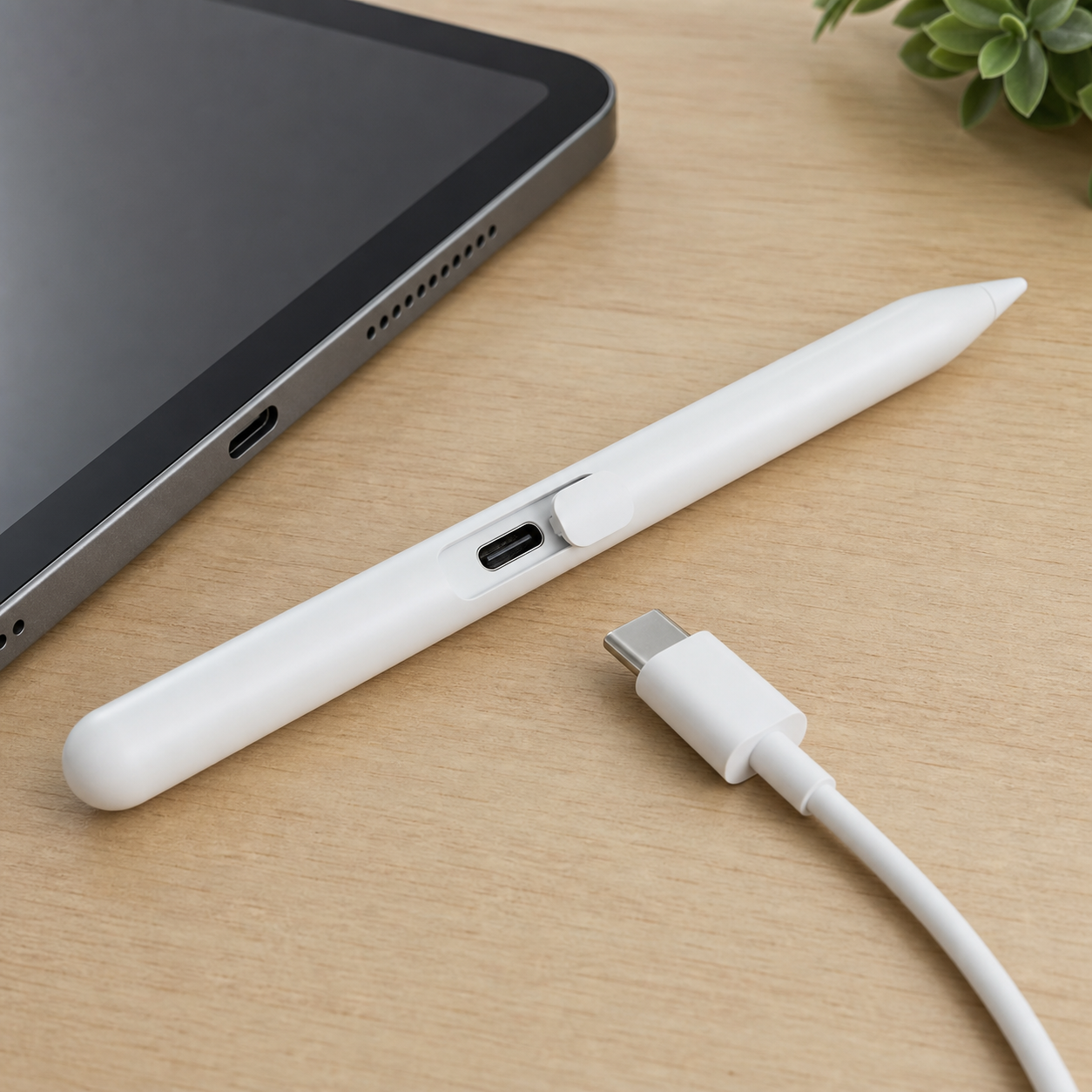
USB-C charging is the main convenience advantage of Apple Pencil USB-C, especially if your tablet, phone, and power bank already share one cable type.
Quick Verdict
Buy Apple Pencil USB-C if you own a compatible USB-C iPad and your work is mostly handwritten notes, study, meeting minutes, classroom annotation, document review, quick sketches, forms, or screenshots. It is the cleanest Apple Pencil choice for people who value a simple cable-based setup and do not need advanced art controls.
Skip it if you are buying for Procreate-heavy illustration, animation, calligraphy, brush control, or paid creative work where pressure sensitivity changes the stroke naturally. In that case, choose Apple Pencil Pro if your iPad supports it, or Apple Pencil 2 if your older compatible iPad supports that model. Also skip USB-C if you expect the Pencil to charge while magnetically attached to the iPad. It attaches for storage; charging still requires a USB-C cable.
Who This Is For
Apple Pencil USB-C is best for students who mark up lecture PDFs, business users signing and correcting documents, teachers writing over slides, creators blocking out rough ideas before finishing elsewhere, and everyday iPad owners who want more accuracy than a finger. It is also a sensible choice for families sharing a compatible iPad because the setup is easier to explain than the first-generation Pencil adapter chain on newer base iPads.
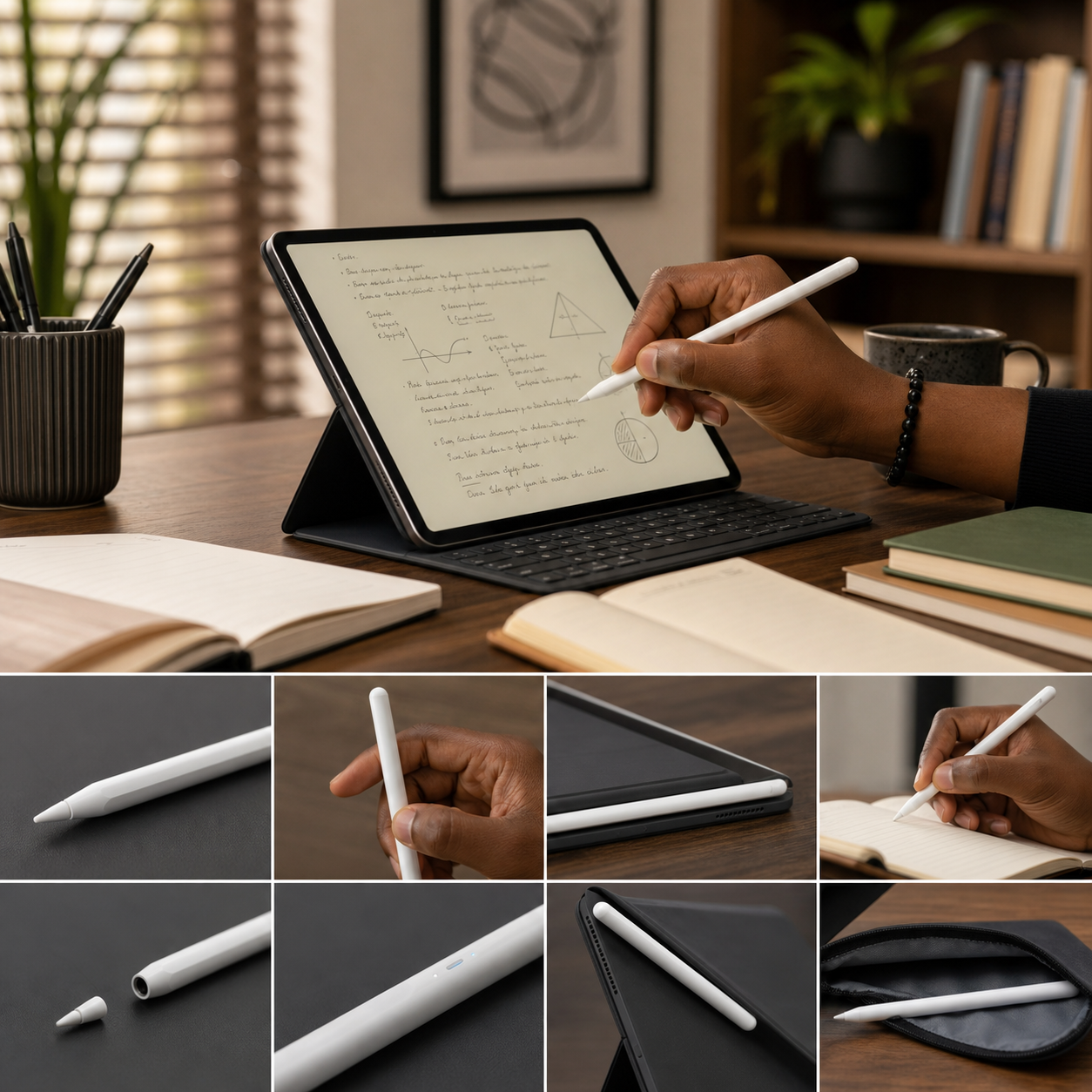
The strongest 2026 use cases are Apple Notes, Freeform, PDF markup, Goodnotes-style notebooks, Notability-style study workflows, screenshot annotation, form filling, quick diagrams, and light design feedback. If you regularly move between a USB-C Android phone, MacBook, iPad, power bank, and charger, this Pencil fits into the same cable ecosystem. That may sound minor, but it is valuable when replacing a lost cable locally is easier than finding a specific Apple adapter.
Who Should Skip It
The main missing feature is pressure sensitivity. Apple Pencil USB-C can shade using tilt, but it cannot vary line weight based on how hard you press. That makes it less satisfying for artists who expect pencil, brush, ink, and calligraphy tools to respond like physical media. If the iPad is your main creative device, the cheaper Pencil can become the expensive mistake.
You should also skip it if you want premium Apple Pencil controls. Apple Pencil Pro adds squeeze, barrel roll, haptic feedback, Find My support, wireless pairing and charging, hover on supported displays, and double-tap. Apple Pencil 2 lacks the newest Pro gestures, but still gives pressure sensitivity, double-tap, and magnetic wireless charging on its supported iPads. USB-C is intentionally simpler: it covers the core writing experience, not the full creative feature set.
For notes, markup, and study workflows, Apple Pencil USB-C covers the features most people notice daily.
Compatibility Table
Do not buy Apple Pencil USB-C based only on the fact that your iPad has a USB-C port. Apple compatibility is model-specific, and iPadOS version matters. Apple lists Apple Pencil USB-C as requiring iPadOS 17.1.1 or later. Before paying, open Settings on the iPad, check the exact model name, update iPadOS where possible, and match that model against the compatible family below.
iPad family
Apple Pencil USB-C support
Buyer note
iPad Pro 13-inch and 11-inch with M4 or M5
Supported
Also supports Apple Pencil Pro, so choose USB-C only if notes and markup matter more than advanced creative controls.
iPad Pro 12.9-inch 3rd to 6th generation
Supported
Apple Pencil 2 may be better for artists because it adds pressure sensitivity and wireless charging.
iPad Pro 11-inch 1st to 4th generation
Supported
A strong match for notes and document work on older Pro models; compare against Apple Pencil 2 before paying.
iPad Air 13-inch and 11-inch with M2, M3, or M4
Supported
Also supports Apple Pencil Pro; Pro is the better creative pick, USB-C is the value notes pick.
iPad Air 4th and 5th generation
Supported
USB-C works, but Apple Pencil 2 may be more capable if available at similar local pricing.
iPad A16 and iPad 10th generation
Supported
One of the cleanest pairings because USB-C avoids the adapter frustration of Apple Pencil 1 on these base iPads.
iPad mini A17 Pro and iPad mini 6th generation
Supported
Good for compact note-taking and travel markup; mini A17 Pro buyers should compare Apple Pencil Pro too.
Older Lightning iPads and unsupported models
Not supported
Check Apple Pencil 1 compatibility instead; do not assume any Apple Pencil will work.
Setup, Charging, And Pairing
Setup is straightforward when the iPad is compatible. Update the iPad to a supported iPadOS version, turn on Bluetooth, slide open the end of the Pencil to reveal the USB-C connector, connect it to the iPad with a USB-C cable, and follow the pairing prompt. The same cable charges the Pencil. If pairing fails, charge it first, restart the iPad, check Bluetooth, confirm the iPad model, and test with another USB-C cable that supports charging.
The daily habit is different from Apple Pencil Pro or Apple Pencil 2. You can attach Apple Pencil USB-C magnetically to the side of supported iPads for storage, but that attachment is not wireless charging. If you carry the iPad to school, work, site visits, or church media duty, keep a short USB-C cable in the sleeve or pouch. This is also why USB-C can be easier to live with than older Lightning workflows: the spare cable is common, but you still need to remember it.
Key Specs And Buying Context
Apple introduced Apple Pencil USB-C in 2023. Official specs list Bluetooth, a USB-C connector, magnetic attachment, iPadOS 17.1.1 or later, a length of 155 mm, diameter of 8.9 mm, and weight of about 20.5 g. The package contains Apple Pencil USB-C itself, so check whether the seller includes any cable or case separately rather than assuming one is in the box.
Feature-wise, the important yes/no list is simple. Yes: precision input, low latency, tilt sensitivity, palm rejection, USB-C pairing and charging, magnetic storage, and hover on selected newer iPad Pro and iPad Air models. No: pressure sensitivity, wireless pairing and charging, double-tap tool switching, squeeze, barrel roll, haptic feedback, Find My, and free engraving. If a listing claims all Pro features at USB-C pricing, slow down and verify the exact model.
Price, Value, And Ogabassey Links
At ₦150,000 in the existing Ogabassey article context, Apple Pencil USB-C sits as a practical middle option. It is not automatically the cheapest stylus in Nigeria, because third-party pencils can cost less, but it is the official Apple option that keeps compatibility, palm rejection, hover support on listed models, and iPadOS behavior clearer than generic alternatives. Browse the wider Ogabassey accessories catalog if you are comparing chargers, cases, keyboards, and stylus options around the same iPad purchase.
The duplicate intake’s Apple Pencil 3 listing on Ogabassey should be treated as a model-confirmation page, not as proof that Apple sells a separate retail product under that simple name in every region. Its catalog note asks buyers to confirm whether the item is Apple Pencil Pro, USB-C, or another generation. That warning is useful enough to keep in this article because many buyers search by generation names rather than Apple’s exact official names.
Alternatives To Compare
If your iPad supports Apple Pencil Pro, compare it first. The Ogabassey Apple Pencil Pro compatibility guide is the better next read for M-series iPad Pro, recent iPad Air, and iPad mini A17 Pro buyers who need pressure sensitivity and newer controls. Apple Pencil Pro costs more, but the extra money makes sense for artists, designers, illustrators, and users who regularly lose small accessories and value Find My support.
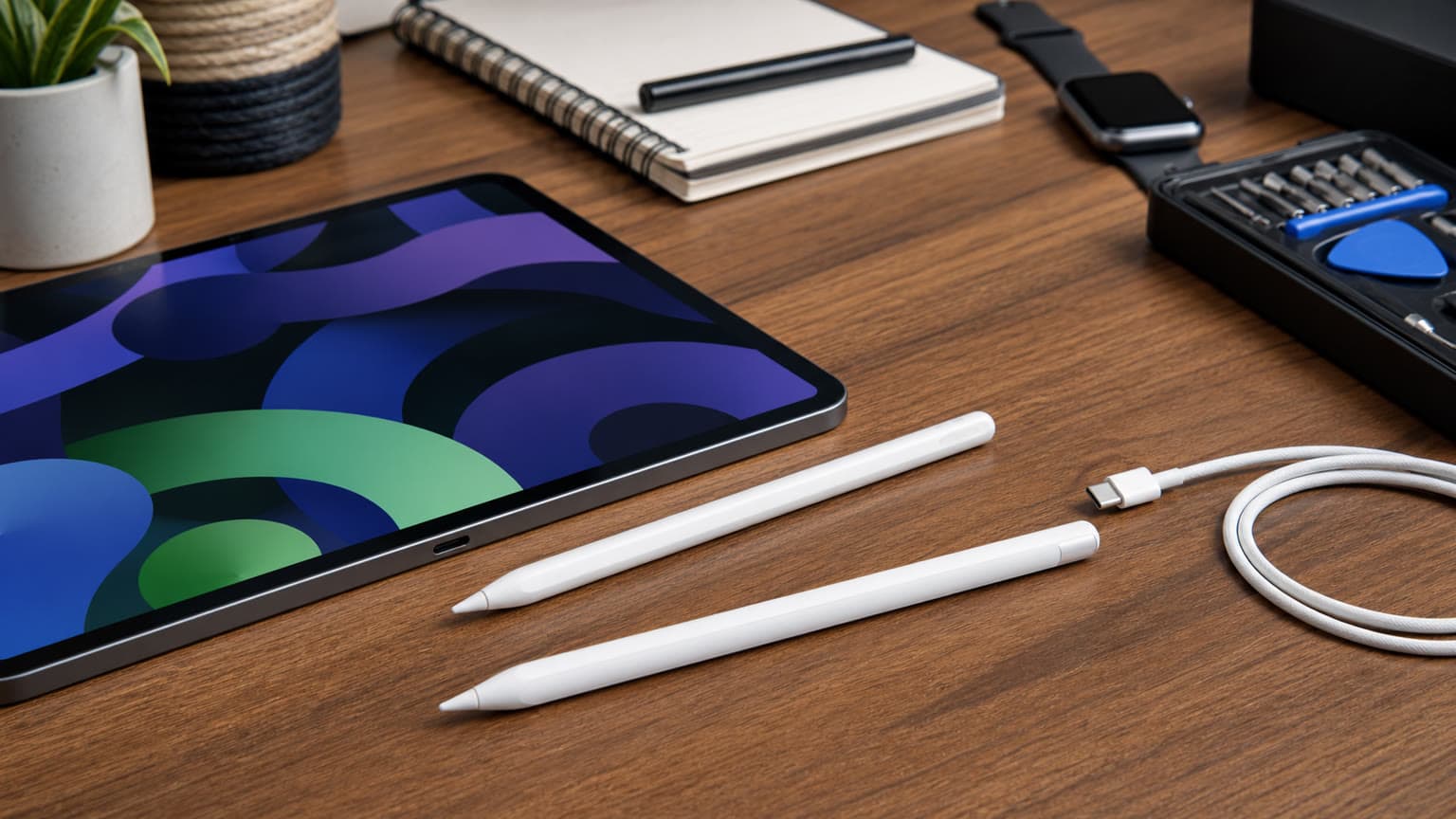
Apple Pencil 2 is the alternative for older compatible iPad Pro, iPad Air 4/5, and iPad mini 6 users. If it is available at the same or near-same local price as USB-C, artists should usually prefer Pencil 2 because of pressure sensitivity and magnetic wireless charging. Apple Pencil 1 remains relevant for older Lightning iPads and for iPad 10th generation or iPad A16 users who already own it and have the required USB-C adapter, but it is less elegant to buy fresh for those newer base iPads because the adapter setup adds friction.
Third-party styluses can be fine for children, occasional note-taking, or budget use, but the risk is inconsistency. Some work only as basic capacitive pens. Others support palm rejection but not every app. Many will not match Apple’s pairing, hover behavior, firmware support, or resale confidence. If you are buying for exams, paid design work, business signatures, or a tablet you cannot easily replace, an official Apple Pencil remains the lower-risk path.
Warranty, Trust, And Copy Risk
Apple Pencil copies can look convincing in photos. The problems usually appear after purchase: unreliable pairing, odd charging behavior, loose tips, weak palm rejection, missing hover, no serial clarity, or app features that do not behave as expected. Before checkout, ask the seller to identify the exact model, condition, package contents, warranty terms, return window, and compatible iPad list. Avoid vague descriptions such as “for all iPads” or “same as Apple Pencil Pro” unless the product page backs that up clearly.
On delivery, inspect the body, tip, sliding USB-C cover, printed markings, and pairing behavior immediately. Pair it with the exact iPad you plan to use, open Apple Notes or a PDF, test palm rejection, test tilt shading, and confirm the battery indicator appears after pairing. Keep the receipt and order record. Warranty rules for Apple-branded accessories, seller warranty, and accidental damage are not the same thing, so do not wait weeks before testing.
Buying Verdict
Apple Pencil USB-C remains a good 2026 buy if your iPad is compatible and your main jobs are notes, markup, study, document review, signatures, and simple sketching. Its value is simplicity: official Apple support, USB-C charging, broad modern iPad compatibility, and enough precision for most productivity users. It is not the best Apple Pencil for serious art.
The safest buying order is this: confirm the exact iPad model, confirm iPadOS support, decide whether pressure sensitivity matters, compare USB-C against Apple Pencil Pro or Apple Pencil 2 for that same iPad, then check the live Ogabassey product page before paying. If the listing name says Apple Pencil 3 or any other unclear generation label, treat that as a prompt to verify the exact Apple retail model, not as a shortcut around compatibility checks.
Catalog-linked prices update automatically. Historical and other quoted prices remain as written. Open the product page to confirm the current price, selected variant and availability before buying.