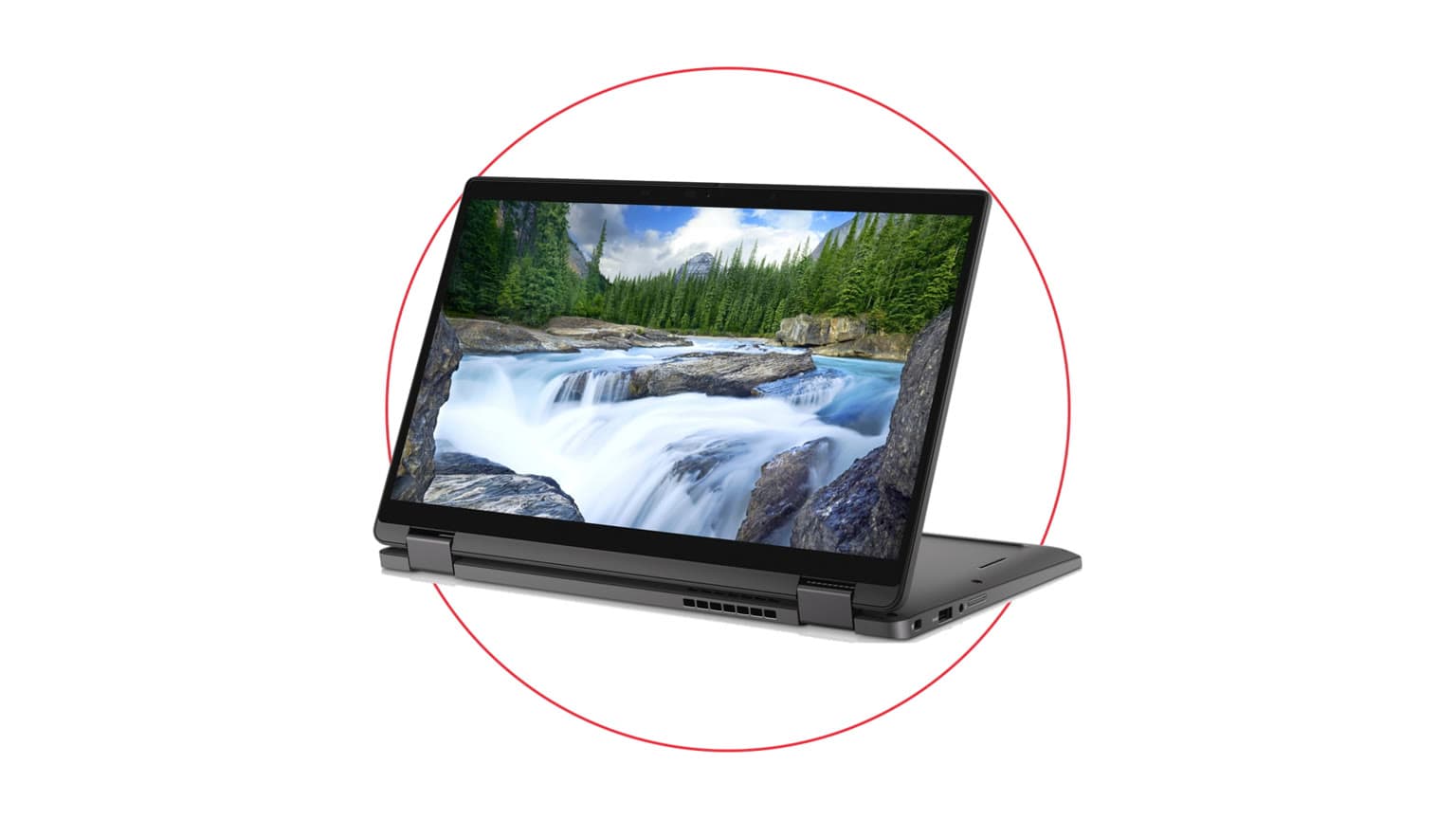
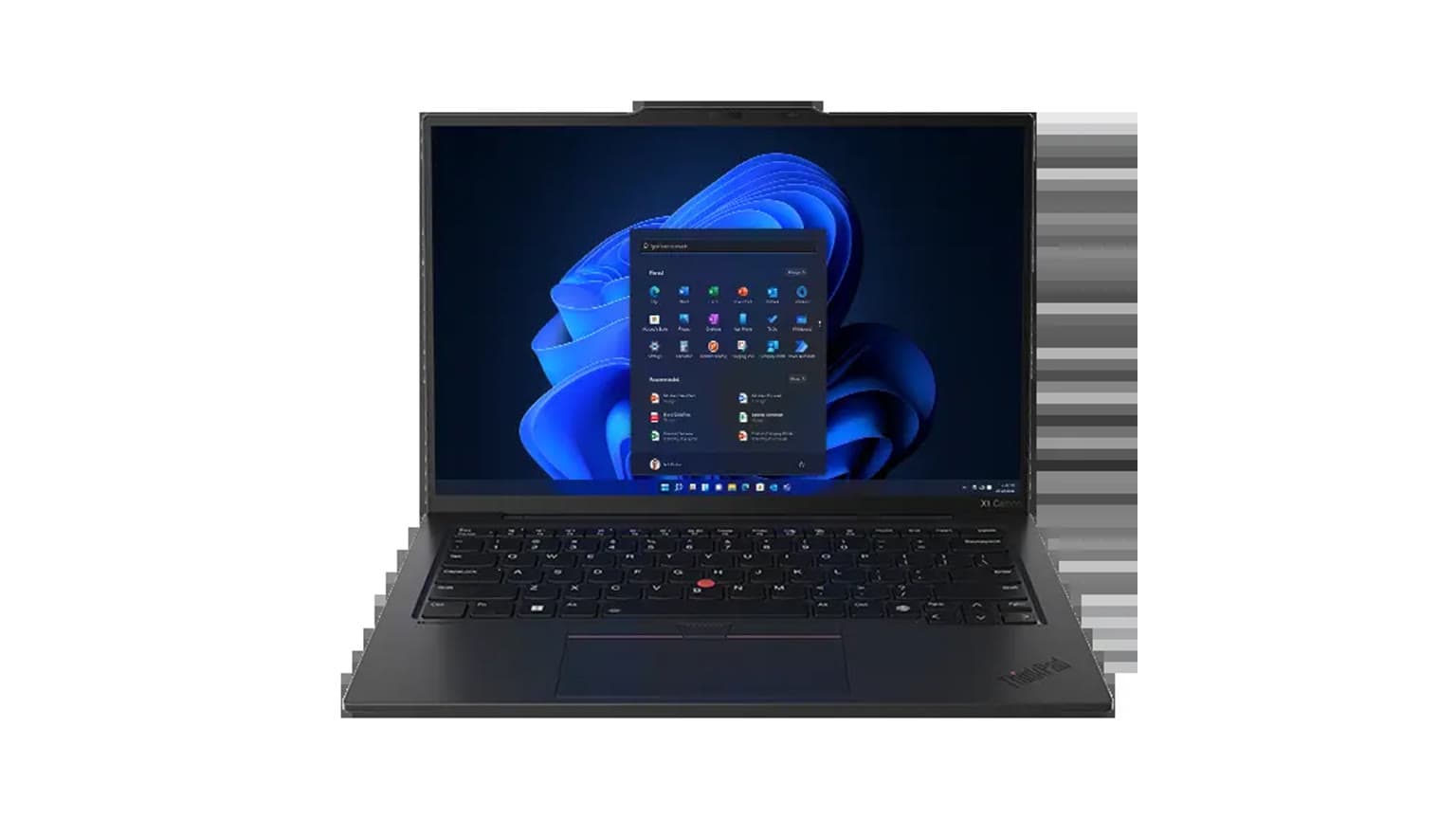
If you want the more flexible work-and-school laptop, choose the Dell Latitude 5350 2-in-1. If you want a more conventional business laptop with stronger upgrade headroom, Ethernet, and a larger 14-inch screen, the Dell Latitude 5450 is the safer long-term buy.
Decision summary
This comparison is based on Ogabassey catalog data reviewed on June 18, 2026, plus Dell official support documentation for the Latitude 5350 and Latitude 5450 families. It is not a hands-on benchmark or repair teardown. The useful buyer question is simple: should a Nigerian buyer pay for the 13.3-inch convertible Latitude 5350 2-in-1, or spend slightly more on the 14-inch Latitude 5450 clamshell?
The short answer is that these two Dell Latitudes are close in everyday performance class but different in ownership style. The Latitude 5350 2-in-1 is better for people who genuinely use touch, tablet mode, desk sharing, classroom annotation, client presentations, or tight bag space. The Latitude 5450 is better for people who want a work-first machine with a more repairable memory path, a fuller business-port setup, and a screen size that is more comfortable for spreadsheets, browser tabs, and remote-work dashboards.
Ogabassey first-party signals show both listings as new, active, and marked in stock under unmanaged inventory, which means live checkout availability should still be confirmed before payment. The Latitude 5350 2-in-1 is listed at ₦1,329,000, while the Latitude 5450 is listed at ₦1,405,000. Because neither listing has paid-order price history in the provided snapshot, this draft does not claim either model is discounted or trending cheaper.
Catalog-verified side-by-side comparison
| Buyer factor | Dell Latitude 5350 2-in-1 | Dell Latitude 5450 | What it means |
|---|
| Ogabassey price | ₦1,329,000 | ₦1,405,000 | The 5350 2-in-1 costs ₦76,000 less in the provided catalog snapshot. |
| Condition | New | New | Both are positioned as new Dell business laptops, not used or refurbished units. |
| Processor in listing | Intel Core Ultra 7 165U | Intel Core Ultra 7 155U | Both are modern Core Ultra U-series work laptops; avoid treating them as gaming or workstation replacements. |
| Graphics | Intel integrated graphics | Intel integrated graphics | Neither is the right choice if your priority is dedicated-GPU gaming, CUDA work, or heavy 3D rendering. |
| Memory in listing | 16GB LPDDR5x | 16GB DDR5 | The 5350 2-in-1 is slimmer and more mobile-focused; the 5450 family has the stronger upgrade story. |
| Storage in listing | 256GB PCIe Gen4 SSD | 256GB PCIe NVMe SSD | Both are modest for 2026 if you keep many videos, design files, or offline project folders. |
| Display size | 13.3 inches | 14 inches | The 5450 gives more workspace; the 5350 is easier to carry and use in cramped spaces. |
| Display type | Touchscreen convertible | FHD IPS | This is the biggest day-to-day difference: touch and 2-in-1 flexibility versus a classic work display. |
| Resolution listed | Not listed | 1920 x 1080 | The 5450 listing states FHD; confirm the exact 5350 panel before checkout. |
| Refresh rate | 60Hz | 60Hz | Both are productivity displays, not high-refresh gaming screens. |
| Weight listed | About 1.35kg | About 1.40kg | The real-life difference is small, but the 5350 still wins for carry comfort. |
| Webcam class | 720p/1080p class, configuration dependent | 720p/1080p class, configuration dependent | Confirm the exact webcam and privacy features on the selected unit if video calls matter. |
| Audio | Stereo speakers listed | Stereo speakers listed | Both should handle calls and lectures, but the snapshot does not support a sound-quality ranking. |
| Headphone jack | Yes | Yes | Useful for offices, online classes, and wired headsets. |
| Official port family notes | Dell support notes Thunderbolt 4, USB-A, HDMI 2.1, and M.2 slots for the family | Dell support notes Thunderbolt 4, HDMI 2.1, Ethernet, and M.2 slots for the family | The 5450 has the more traditional business-desk advantage because Ethernet is part of the official family note. |
| Availability note | Marked in stock; unmanaged inventory | Marked in stock; unmanaged inventory | Ask Ogabassey to confirm live availability, charger, keyboard layout, and selected configuration before checkout. |
Price and value in Nigeria
The price gap is not huge. At ₦1,329,000, the Latitude 5350 2-in-1 is the cheaper model in this snapshot. At ₦1,405,000, the Latitude 5450 costs ₦76,000 more. In Nigerian buying terms, that difference is meaningful but not large enough to decide on price alone, especially if the laptop will be used daily for school, office work, or business travel.
Buy the Latitude 5350 2-in-1 if that ₦76,000 saving comes with a feature you will use every week: touch input, tent mode for presentations, a compact footprint, or a 13.3-inch convertible body. Paying less while getting touch flexibility is a strong value story, but only if the 2-in-1 design is part of your workflow. If you mostly type, browse, use Excel, run Teams or Zoom, and connect to a desk setup, the convertible hinge may not be worth prioritising.
Buy the Latitude 5450 if your value definition is longer ownership rather than the lowest price today. Dell official support notes for the 5450 family point to DDR5 SODIMM memory up to 64GB, Ethernet, Thunderbolt 4, HDMI 2.1, and M.2 storage support. That makes it easier to justify for small businesses, remote workers, school departments, and buyers who want a machine that can be serviced or upgraded more practically later.
For shoppers comparing across Dell lines, Ogabassey already has a related guide on Latitude 5450 versus XPS 15 9520. That article is useful if your real question is whether to choose a new business laptop or a used creator-class Dell with a larger display and stronger multimedia appeal.
Performance and daily use
Both laptops sit in the modern business-productivity lane. The Latitude 5350 2-in-1 listing carries an Intel Core Ultra 7 165U, 16GB RAM, 256GB SSD, and Intel integrated graphics. The Latitude 5450 listing carries an Intel Core Ultra 7 155U, 16GB RAM, 256GB SSD, and Intel integrated graphics. That is enough for browser-heavy work, Microsoft Office, Google Workspace, video calls, light photo edits, accounting tools, online classes, and admin dashboards.
The 5350 2-in-1 may look more exciting because of the Ultra 7 165U badge and convertible design, but the stronger practical difference is not raw speed. It is how you interact with the machine. Students can mark PDFs, lecturers can present from a small table, field workers can flip the screen around for forms, and sales teams can show documents without turning a full laptop awkwardly across the desk.
The Latitude 5450 is the calmer workhorse. Its 14-inch screen is easier to live with when you have two browser windows, Slack or Teams, a spreadsheet, and a PDF open. If the laptop will sit on a desk for six to eight hours a day, the slightly larger panel and clamshell design make more sense than a convertible hinge. It is also the better bet for buyers who expect memory pressure to grow over time.
Neither machine should be sold to a buyer as a gaming laptop. The catalog lists Intel integrated graphics for both. They can handle casual games and light graphics tasks, but anyone asking for RTX gaming, 3D modelling, or heavy Adobe Premiere timelines should start from Ogabassey Gaming Laptops instead of forcing a Latitude into the wrong job.
Battery, display, and build practicality
The provided snapshot does not include battery capacity or measured battery life, so a responsible comparison should not invent runtime claims. What can be said is that both models are U-series Core Ultra business laptops, both use 60Hz displays in the catalog data, and both are aimed at productivity rather than gaming performance. Before checkout, ask for the exact battery health or battery configuration where applicable, especially if the unit will be used away from power for lectures, travel, or field work.
The display choice is clearer. The Latitude 5350 2-in-1 has a 13.3-inch touchscreen convertible display. That matters for buyers who read, annotate, present, sign documents, or use the laptop in tight spaces. The Latitude 5450 has a 14-inch FHD IPS display listed at 1920 x 1080. That is the better everyday size for long typing sessions and office multitasking, though buyers who want sharper-than-FHD panels should compare other models before committing.
Build practicality also cuts both ways. A convertible hinge adds useful flexibility but also makes it more important to inspect hinge feel, touch response, pen support if needed, and display condition before checkout. A traditional Latitude 5450 body is less flexible but easier to understand for business deployment: open it, dock it, connect Ethernet where needed, and use it like a standard office laptop.
Ports, upgrade path, and after-sales trust
For Nigerian and African buyers, the best laptop is not only the one with the best headline spec. It is the one that remains practical when the charger is misplaced, the SSD fills up, a keyboard needs replacement, or a business wants consistent units for staff. This is where the Latitude 5450 has a stronger ownership argument.
Dell official support notes for the Latitude 5450 family validate DDR5 SODIMM memory, M.2 storage, Thunderbolt 4, HDMI 2.1, Ethernet, and Windows or Ubuntu operating-system options. The memory detail is especially important. A laptop with upgradeable SODIMM memory can be more forgiving if 16GB becomes limiting later.
The Latitude 5350 2-in-1 still has a solid official-source foundation: Dell support notes for its family validate LPDDR5/LPDDR5x memory, Thunderbolt 4, USB-A, HDMI 2.1, and M.2 slots. The tradeoff is that LPDDR-class memory is typically tied to thinner, more compact designs, so buyers should treat the selected RAM capacity as a long-term decision. The Ogabassey listing is 16GB, which is good for most office and school use today, but buyers who know they will run heavier workloads should be cautious.
For warranty and trust, confirm the exact unit details before checkout: charger wattage, keyboard layout, service tag or model reference where available, display type, touchscreen and pen support, RAM/storage configuration, return terms, and local support expectations. The snapshot marks both products as new and in stock, but unmanaged stock means the numeric stock count is not the final availability authority.
Who should buy each option?
Choose the Dell Latitude 5350 2-in-1 if touch changes how you work
The Latitude 5350 2-in-1 is the better fit for students, consultants, teachers, sales teams, executives, and mobile workers who value a compact laptop that can flip between typing, presentation, and tablet-like use. It is also the better pick if the lower catalog price matters and you are comfortable with 16GB RAM and 256GB storage as configured.
Choose the Dell Latitude 5450 if you want a classic business laptop
The Latitude 5450 is the stronger fit for office workers, remote staff, small businesses, and buyers who care about upgradeability, Ethernet, and a more conventional 14-inch work setup. It costs more in this snapshot, but the official-source memory and port story makes it the more practical long-term machine for many buyers.
Skip both if gaming or creator work is the main job
Both machines use Intel integrated graphics in the provided catalog data. That is fine for productivity, calls, documents, light editing, and admin work. It is not the right foundation for serious gaming, GPU rendering, or demanding creator workloads. Browse the wider Ogabassey Laptops category if you want a different screen size, storage capacity, or performance class.
Alternatives to consider
If you like the Latitude 5450 but want to understand how it compares with other Dell options, read Ogabassey's Inspiron 14 Plus 7440 versus Latitude 5450 comparison. That is the more relevant alternative if your dilemma is sharper consumer-style display value versus business-grade serviceability.
If your budget points you toward used Dell creator machines, the Latitude 5450 versus XPS 15 9520 guide gives a more direct route into that question. Search Console demand around Dell XPS and Dell Precision price queries suggests Nigerian buyers are actively comparing business, workstation, and creator Dell models, so it is worth checking whether your workload needs a Latitude at all.
The site-search signal for “dell latitude 3430” also matters. If you arrived here while searching for older Latitude models, treat the 5350 2-in-1 and 5450 as newer, higher-positioned options rather than direct budget replacements. The older Latitude 3430 class can still make sense for cheaper office use, but this comparison is for buyers considering newer Core Ultra Latitude listings.
Verdict
Choose the Dell Latitude 5350 2-in-1 if you want the cheaper catalog price, the lighter listed weight, and a 13.3-inch touchscreen convertible design. Choose the Dell Latitude 5450 if you want the larger 14-inch FHD display, the stronger official-source upgrade story around DDR5 SODIMM memory, and a more business-friendly port mix that includes Ethernet in Dell's support notes. For most long-term office buyers, the Latitude 5450 is the safer ownership choice; for mobile students and presentation-heavy workers, the Latitude 5350 2-in-1 is the more useful everyday tool.
FAQ
Is the Dell Latitude 5350 2-in-1 better than the Latitude 5450?
It is better if you need touch, tablet-style use, a compact 13.3-inch body, and the lower Ogabassey catalog price. The Latitude 5450 is better if you want a larger 14-inch work screen, Ethernet, and a stronger upgrade path.
Which Dell Latitude should I buy for school or remote work?
For school notes, presentations, and carrying around campus, choose the Latitude 5350 2-in-1. For remote work with spreadsheets, dashboards, calls, and desk accessories, choose the Latitude 5450.
Are these Dell Latitude laptops good for gaming or design?
They are not gaming-first laptops. Both listings use Intel integrated graphics, so they fit office work, browsing, classes, calls, and light creative tasks better than serious gaming, 3D work, or heavy video editing.
What should I confirm before buying from Ogabassey?
Confirm live availability, exact CPU, RAM, SSD, display, charger, keyboard layout, touch or pen support where relevant, warranty or return terms, and whether the selected unit matches the catalog configuration.
Sources