Laptops
HP • ₦782,000
The Dell Latitude 7430 makes sense at Ogabassey's catalog price of ₦517,500 if you want a compact Windows business laptop for school, office work, browsing, remote meetings, and travel. The important decision is not raw speed alone. For a used unit in Nigeria, battery health, charger authenticity, ports, warranty clarity, and alternatives matter just as much.
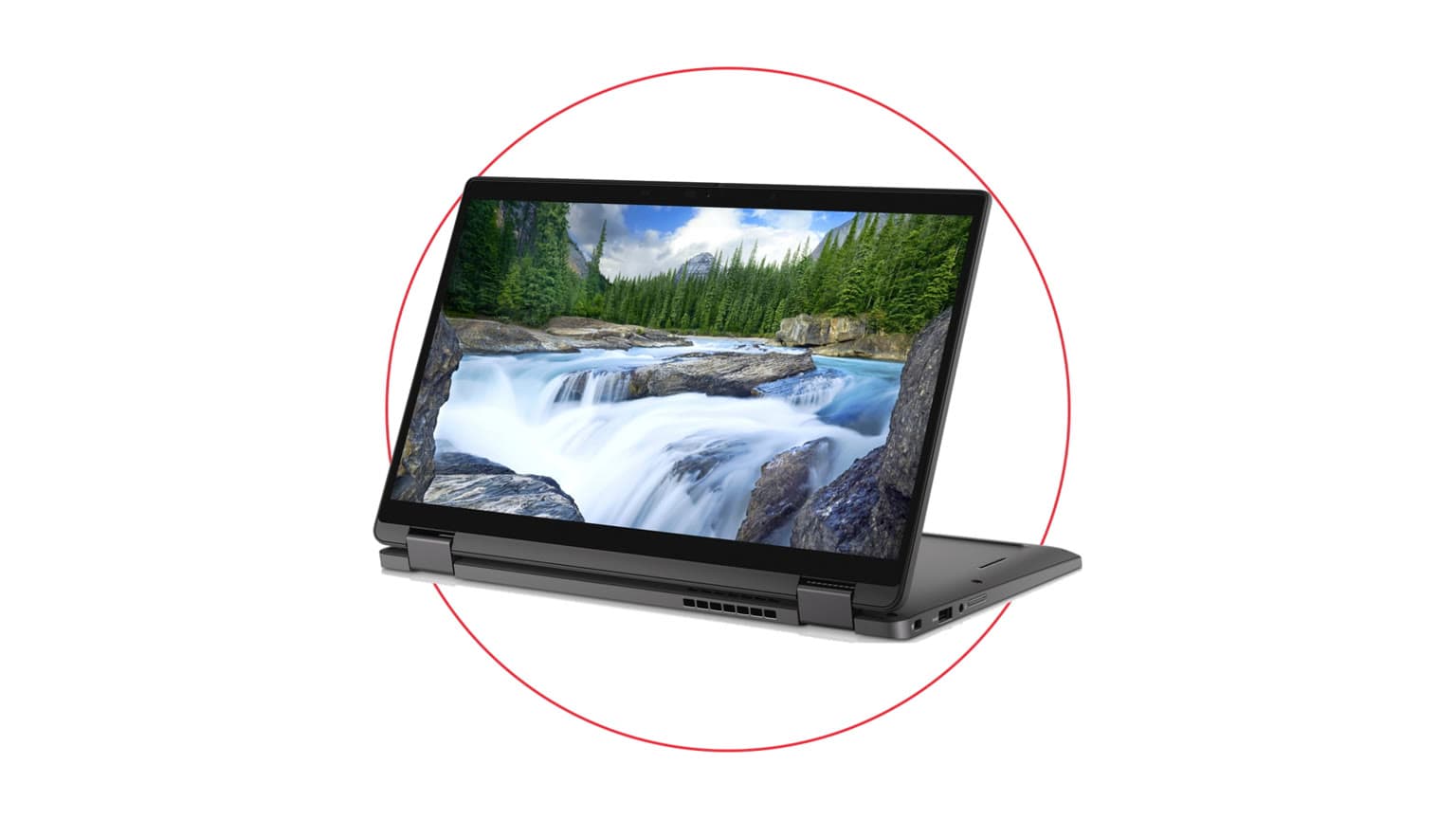
The Dell Latitude 7430 is best treated as a practical business laptop, not a gaming laptop or creator workstation. The catalog unit is listed as used, in stock, and priced at ₦517,500 as of the provided Ogabassey catalog signal dated July 3, 2026. Its strongest fit is for buyers who need a portable 14-inch machine for Microsoft Office, Google Workspace, browser tabs, Zoom or Teams calls, light data work, school assignments, online classes, and everyday admin.
It is also a sensible pick for Nigerian buyers who prefer the serviceability culture around business Dell laptops. Latitude machines are common in offices, refurb channels, and repair ecosystems, so chargers, keyboards, batteries, screens, and SSD support are usually easier to discuss with local technicians than niche ultrabooks. That does not mean every used unit is automatically safe. It means the platform is familiar enough that a buyer can inspect it properly before paying.
The Latitude 7430 is less suitable if your main work is gaming, 4K video editing, 3D rendering, CAD, heavy Adobe workloads, or GPU-accelerated creator apps. The catalog lists Intel integrated graphics, so the right expectation is productivity, not dedicated-graphics performance. If you want gaming-first buying guidance, start from Ogabassey's Gaming Laptops section instead of forcing a business Latitude into that role.
If your search started with Dell laptop price in Nigeria questions, this model sits in the serious used-business range: above basic entry laptops, below many newer premium ultrabooks and workstation-class machines. For a broader scan of available systems, the Ogabassey Laptops category is the better starting point.
Catalog-verified facts for this Dell Latitude 7430 are straightforward: 14.0-inch FHD-class business display, 1920x1080 class resolution, 60Hz refresh rate, 12th Gen Intel Core i7 platform, Intel mobile U-series CPU by configuration, Intel integrated graphics, 16GB RAM, 256GB internal SSD storage, Wi-Fi 6 class connectivity by configuration, Bluetooth by configuration, stereo speakers, 3.5mm headphone jack, no listed card slot, no 5G support, and Titan Gray color.

The 12th Gen Core i7 label is the biggest performance signal here. In buyer terms, it should feel modern enough for office multitasking, cloud tools, spreadsheets, light coding, research, and general Windows use. The U-series note matters because it points to efficiency-focused mobile silicon rather than a high-wattage workstation chip. That is usually a good trade for a portable 14-inch laptop: cooler operation and better battery expectations than many older high-performance systems, but not the sustained power you would buy for heavy rendering.
The 16GB RAM listing is a real advantage for 2026 buyers. For Windows, browsers, video calls, office apps, and study workflows, 16GB gives more breathing room than 8GB. It also makes the laptop more realistic for students and office users who keep many tabs open. The 256GB SSD is the more limiting part. It is fine for documents, browser work, accounting tools, and school files, but it can become tight if you store large videos, many offline course folders, design files, virtual machines, or local media. Before paying, ask whether the SSD is replaceable on the exact unit and whether any upgrade would affect seller warranty terms.
The 14-inch FHD-class display is a productivity size: easy to carry, large enough for writing and spreadsheets, but not as comfortable as a 15-inch or 16-inch laptop for split-screen work all day. The 60Hz refresh rate is normal for business use. It is not a drawback for Word, Excel, web apps, or email, but it is not a premium gaming or high-refresh creative panel.
| Attribute | Catalog value | Buyer meaning in Nigeria |
|---|---|---|
| Current Ogabassey price | ₦517,500 | Mid-range used business laptop money; compare against condition, battery, charger, and warranty before judging value. |
| Availability | In stock; managed inventory; stock quantity 1 | Availability can change quickly because only one unit is listed in the candidate data. |
| Condition | Used | Inspect the exact unit, not just the model name. |
| Category | Laptops | Best compared with other Dell business and ultrabook listings, not gaming laptops. |
| Display | 14.0-inch FHD-class, 1920x1080 class, 60Hz | Good for portable work and study; not a high-refresh or creator-grade screen claim. |
| Processor | 12th Gen Intel Core i7, Intel mobile U-series by configuration | Strong everyday Windows performance with efficiency-focused business-laptop expectations. |
| Graphics | Intel integrated graphics | Fine for office work and media; avoid buying it for serious gaming or GPU-heavy design. |
| Memory | 16GB RAM | The strongest everyday multitasking spec in this listing. |
| Storage | 256GB SSD | Usable, but buyers with large files should ask about SSD upgrade options. |
| Connectivity | Wi-Fi 6 class, Bluetooth by configuration, USB-C / Thunderbolt class by configuration | Verify exact ports and charging behavior on the unit before payment. |
| Warranty and trust checks | Not listed | Ask Ogabassey to confirm warranty period, return terms, charger condition, and battery status before checkout. |
| Comparable alternatives | Dell Precision 3470, Dell Latitude 7420, Dell XPS 13 9380, Dell Vostro 5490, Dell XPS 15 9570 | Use these to decide between newer CPU, lower price, portability, display size, and workstation needs. |
For this specific product-support decision, the used condition is the center of the story. A clean spec sheet does not guarantee a clean laptop. Start with battery health. Ask for the battery report or a practical battery-health statement, then compare it with your daily use. For students and workers who move around Lagos, Abuja, Port Harcourt, Accra, Nairobi, or other power-variable environments, weak battery health changes the value immediately. A laptop that is fast but tied to the wall is not the same product as a laptop that can handle lectures, meetings, or travel.
Next, check the charger. A genuine, correctly rated USB-C charger matters for a Latitude because bad chargers can cause slow charging, heat, warnings, unstable performance, or battery stress. Inspect the cable head, adapter wattage, plug condition, and whether the laptop charges consistently from its USB-C or Thunderbolt-class port. If the unit ships with a replacement charger, ask whether it is covered by the same warranty or return policy.
Ports deserve their own inspection. The catalog says USB-C / Thunderbolt class by configuration, so the safest wording is configuration dependent. Test every USB-C port for charging, display output if needed, and data transfer. Test the 3.5mm headphone jack, Wi-Fi, Bluetooth, speakers, webcam, keyboard, touchpad, and display brightness. If you need HDMI, Ethernet, or a memory card slot, do not assume they exist from the Latitude name. This listing says no card slot and no 5G support.
Also inspect the screen and chassis. Look for pressure marks, bright spots, keyboard shine, hinge looseness, dents near the corners, uneven lid closure, and wobble when typing. Used business laptops often survive office life well, but hinge and port damage can become expensive if ignored. Ask whether Windows is activated, whether BIOS or admin locks are cleared, and whether any company-management profile remains on the machine.
The Latitude 7430 wins on balanced portability. A 14-inch business laptop is easy to carry, easier to use on small desks, and usually more comfortable for daily commuting than many 15-inch machines. The 12th Gen Core i7 plus 16GB RAM combination should be responsive for the kind of work most buyers actually do every day: research, documents, spreadsheets, light browser-based admin, email, video calls, and classwork.
The first trade-off is storage. A 256GB SSD is not bad, but it is no longer generous. After Windows, apps, downloads, WhatsApp backups, browser caches, and work files, free space can disappear quickly. If you are a student storing lecture videos or a business user handling media files, budget for external storage or confirm internal SSD upgrade options.
The second trade-off is graphics. Intel integrated graphics is the right spec for efficiency and office use, but it is the wrong reason to buy if you are chasing games, Blender, heavy Premiere Pro, or GPU rendering. Casual games and media playback are different from buying a gaming laptop. Ogabassey should not position this as a gaming machine.
The third trade-off is display ambition. A 14-inch FHD-class 60Hz panel is practical, but not luxury. Buyers coming from OLED phones, MacBook Retina displays, or premium XPS screens may notice the difference. If screen quality is the main reason you are spending, compare carefully with XPS or MacBook options before deciding.
The final trade-off is used-laptop uncertainty. The catalog can verify listed specs and price, but it cannot replace inspection of the exact unit. Battery wear, charger quality, keyboard feel, fan noise, heat, and previous repair history are unit-level details.

If the Latitude 7430 feels right but you want to compare before paying, start with the Dell Latitude 7420. It is the closest logical sibling for buyers who want the Latitude business feel but may accept an older generation if the price, condition, or battery is better. The main question is whether the 7430's newer 12th Gen platform is worth the difference on the day you are buying.
The Dell Precision 3470 is the more work-focused alternative to consider if your tasks involve heavier professional workloads. Precision models are usually bought by people who care more about workstation positioning than thin ultrabook style. Check its exact CPU, GPU, RAM, storage, and condition before assuming it is faster for your work.
The Dell XPS 13 9380 is for buyers who care about premium compact design and screen feel more than business-fleet practicality. It may be attractive if portability and build are the emotional pull, but older XPS units should be inspected carefully for battery, thermals, keyboard, and port practicality.
The Dell Vostro 5490 can make sense for buyers who want a Dell work laptop but are more price-sensitive. Vostro is usually positioned below Latitude in business hierarchy, so compare condition and value carefully rather than treating both names as equal.
The Dell XPS 15 9570 is the bigger-screen alternative for people who edit documents side by side, work on larger spreadsheets, or prefer a roomier display. The trade-off is portability, age, thermals, battery condition, and possible repair cost. A larger premium laptop can be better for desk work but worse for daily movement.
For readers comparing Dell business machines more broadly, Ogabassey's related guide on Dell Inspiron 14 Plus 7440 vs Latitude 5450 is useful because it explains the difference between consumer-style screen appeal and business-grade upgrade path thinking. If your budget is close but you are considering smaller premium laptops, the Dell XPS 13 9360 used buyer checks article adds another portable-Dell reference point.
Buy the Dell Latitude 7430 at ₦517,500 if the exact Ogabassey unit has healthy battery behavior, a reliable charger, clean ports, no BIOS or management lock, and a warranty or return position you are comfortable with. The 12th Gen Core i7, 16GB RAM, 14-inch FHD-class display, and SSD storage make it a strong everyday Windows laptop for office, student, and remote-work use.
Do not buy it just because the processor says Core i7. A used laptop is a condition purchase. If battery health is weak, the charger is questionable, the screen has pressure marks, or the SSD capacity is already too tight for you, the better decision may be a different unit from the Laptops category. Also avoid it for gaming-first or creator-first workloads unless your expectations are light.
The practical Ogabassey angle is this: the Latitude 7430 is a good Nigeria buyer fit when you want a portable, familiar, business-class Dell with enough RAM for 2026 work. It becomes a poor buy only when the used-unit inspection fails or when your real need is bigger storage, stronger graphics, or a more premium display.
The provided Ogabassey catalog signal lists the used Dell Latitude 7430 at ₦517,500 as of July 3, 2026. Stock is listed as in stock with managed inventory and quantity 1, so confirm live availability before checkout.
Yes, based on the listed 12th Gen Core i7 platform, 16GB RAM, 256GB SSD, and 14-inch FHD-class display, it is well suited to school, office work, browsing, online classes, meetings, and business productivity.
It is not the best choice for serious gaming or heavy design work because the catalog lists Intel integrated graphics. It can handle everyday productivity and light creative tasks, but gaming-first buyers should compare dedicated gaming laptops.
Check battery health, charger rating, USB-C charging, keyboard, touchpad, webcam, Wi-Fi, Bluetooth, speakers, screen marks, hinge firmness, Windows activation, BIOS locks, warranty terms, return policy, and whether SSD upgrades are supported.
Catalog-linked prices update automatically. Historical and other quoted prices remain as written. Open the product page to confirm the current price, selected variant and availability before buying.