Tech News
Apple • ₦120,000
Apple • ₦140,000
Android 17 has quietly added LHDC v5 Bluetooth audio support on compatible Pixel phones, giving Pixel owners another high-resolution wireless audio route when the rest of the setup also supports it. For Nigerian buyers, the useful takeaway is not that every earbud suddenly sounds better. It is that a Pixel phone running Android 17 may now work better with some LHDC-capable earbuds from Android-focused brands, while Pixel Buds buyers still need to check the codec support of the specific earbud model before paying.
This is a software-side compatibility story, not a new Pixel Buds launch and not an Ogabassey stock announcement. Treat it as a buyer warning and an upgrade note: the phone, earbuds, app settings, music source, battery expectations and warranty route all need to line up before LHDC becomes a real advantage.
The fresh development is a Bluetooth codec change inside Android 17 on Pixel phones. Reporting from Android Authority and Android Central indicates that stable Android 17 can expose LHDC v5 as a selectable Bluetooth audio codec on Pixel devices when compatible earbuds or headphones are connected. That matters because Pixel phones already handled common Bluetooth options such as SBC, AAC and LDAC, but LHDC had been a missing route for buyers who owned earbuds built around that codec.
LHDC stands for Low Latency High-Definition Audio Codec. In simple buying language, it is one of the technologies used to move higher-bitrate audio from a phone to wireless earbuds or headphones over Bluetooth. The headline benefit is not magic loudness or instant studio sound. It is compatibility with a high-resolution codec path that some earbuds advertise as their best-quality mode. If your earbuds support LHDC v5 and your Pixel phone can select it after the Android 17 update, the pair may avoid falling back to a more basic codec.
The caveat is important. Bluetooth audio quality is a chain. The phone must support the codec, the earbuds must support the same codec, the companion app may need a Hi-Res or premium-audio setting enabled, and your streaming app or local files must provide enough quality for the difference to matter. If one link is missing, the Pixel will use another available codec and the buyer may hear no obvious change.

Ogabassey readers often compare Google Pixel phones by price, condition, storage, network support, software update life and local warranty route. This Android 17 audio change adds one more question for shoppers who care about music quality: which Bluetooth codecs do the phone and earbuds actually share?
That question is especially relevant in Nigeria because many Pixel phones and premium earbuds arrive through mixed import channels. A used Pixel 7 Pro, Pixel 8a, Pixel 9 or newer Pixel may be attractive on price, but the buyer still needs to confirm the exact model, software status, battery health, storage, 5G band support and return policy. A premium earbud may advertise Hi-Res audio, but that label alone does not prove it will use LHDC with a Pixel. The seller should be able to confirm the product model, supported codecs, app support, firmware route and warranty handling.
If you are comparing a Pixel phone with Samsung, Xiaomi, Tecno, Infinix or iPhone options, LHDC support should be treated as a specialist audio advantage, not the main reason to buy the phone. For most buyers, the larger phone decision still comes down to camera and video quality, battery endurance, charging speed, storage and RAM, screen quality, network fit, software support horizon, originality and repairability. A codec update is useful, but it does not outweigh a weak battery, locked device, poor warranty route or a phone that does not fit your network needs.
For shoppers starting from phones rather than earbuds, the broader Ogabassey smartphones category is still the safer place to compare available devices by real local context. Once you know the Pixel model and software build you are buying, then move to earbuds and audio accessories.
The most common mistake is assuming this Android 17 change automatically upgrades every Google earbud. It does not. The reported change is about Pixel phone codec support. Earbuds still need their own codec support, and Google’s Pixel Buds line has traditionally sold itself more on Pixel ecosystem convenience than on chasing every high-bitrate codec.
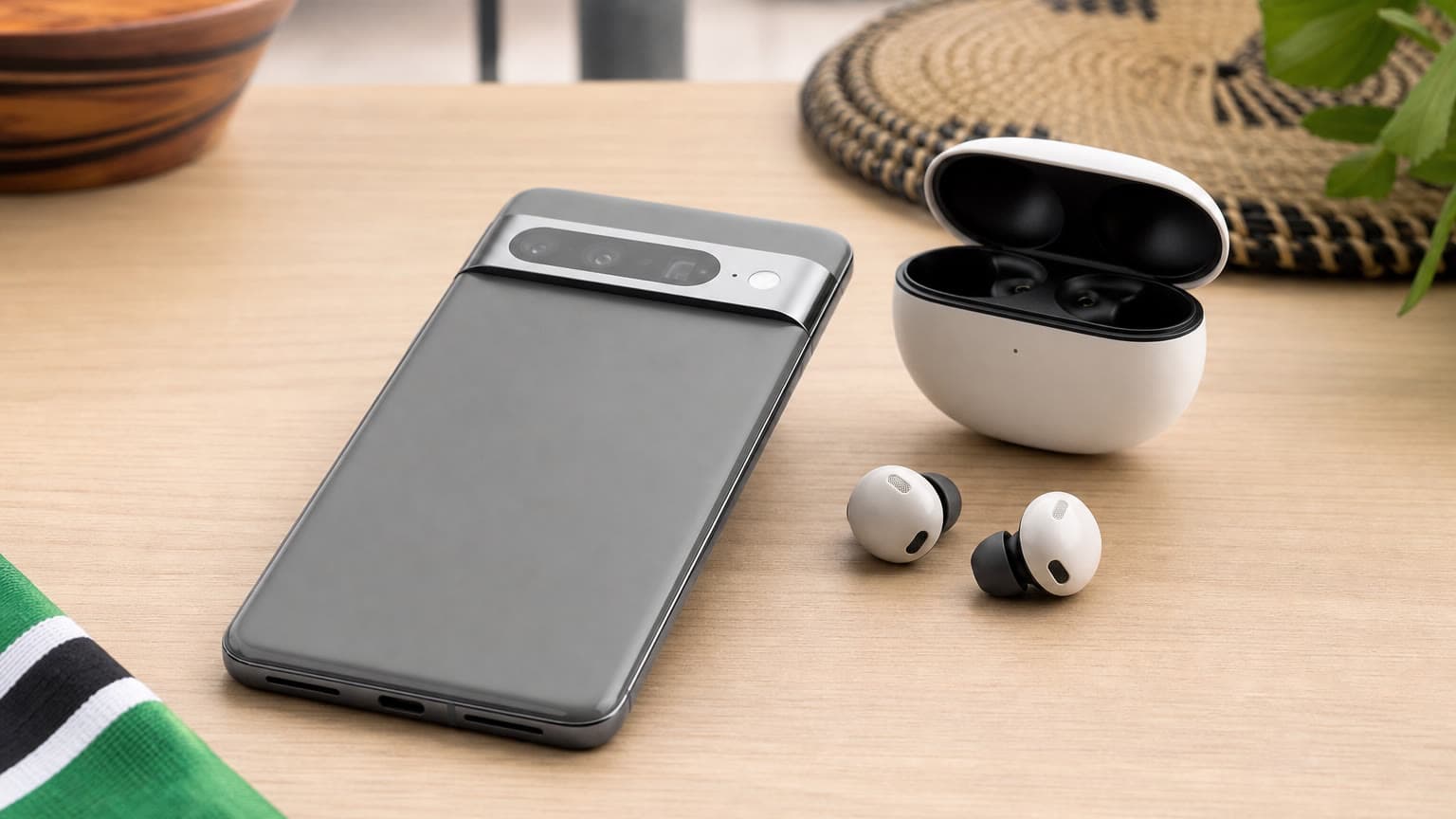
Google’s official Pixel Buds Pro 2 specifications emphasize Bluetooth 5.4, the Tensor A1 processor, custom 11 mm drivers, ANC with Silent Seal 2.0, transparency mode, conversation detection, three microphones per earbud, IP54-rated earbuds, an IPX4 case, USB-C charging and Qi wireless charging. Google also lists up to 8 hours of listening with ANC on and up to 30 hours with the case, or up to 12 hours with ANC off and up to 48 hours with the case. Those are practical daily-use specs, but they should not be read as confirmation that Pixel Buds Pro 2 gain LHDC just because a Pixel phone gains LHDC.
If you are looking at Google Pixel Buds Pro 2 or Google Pixel Buds Pro 1, judge them on the features they are meant to deliver: easy Pixel pairing, Android integration, ANC, transparency mode, call handling, comfort, case features, multipoint behaviour and app controls. They may still be the better choice for many Pixel users, especially if you value predictable setup over codec experimentation. But if your main goal is the highest available Bluetooth music mode, ask directly for the supported codec list before paying.
If you already have Android 17 on a compatible Pixel phone, do not judge LHDC support by reading a box in isolation. Pair the earbuds first, then check the Bluetooth codec options that appear for that connected device. Reports around the Android 17 change suggest LHDC v5 may need to be selected manually in Developer Options or appear only when compatible hardware is connected. Some earbuds also require their own companion app setting before the highest-quality mode is active.
There are trade-offs to watch. Higher-bitrate Bluetooth modes can use more battery, can behave differently in congested wireless environments and may disable or weaken other conveniences. Google’s own support documentation for Pixel Buds notes that Premium Audio can disable Multipoint connectivity, which is exactly the kind of practical compromise Nigerian buyers should check before paying extra for an audio feature. If you regularly move between a phone and laptop for calls, multipoint may matter more than a codec setting.
Before buying, run a simple five-step checklist. First, confirm the Pixel model and whether stable Android 17 is installed. Second, confirm the earbuds support LHDC v5 or the LHDC mode you expect to use. Third, check whether the companion app is available and works on your phone in Nigeria. Fourth, ask what happens to battery life, multipoint and connection stability when the high-quality mode is enabled. Fifth, confirm the seller’s return window, replacement policy, authenticity checks and firmware-update path.
For buyers comparing products inside the Ogabassey earbuds category, those checks are more useful than broad labels like premium, studio, lossless or Hi-Res. A product can be excellent for calls and commuting without being the best codec match for your Pixel. Another pair can support LHDC and still be a poor buy if the fit is uncomfortable, the microphones are weak, the battery fades quickly or the warranty path is unclear.

Android 17 itself is not a retail product, so there is no Ogabassey price or stock claim to attach to the update. The availability question is about whether the exact Pixel in your hand has received the stable update and whether the connected earbuds can use the codec. Update timing can vary by model, region, carrier build, beta enrollment and previous software state. If a seller markets a used Pixel mainly around Android 17 audio support, ask to see the About phone screen and the Bluetooth codec behaviour with the intended earbuds.
Price/value should also stay grounded. Do not pay a large premium for a phone or earbud only because LHDC appears in a headline. For daily Nigerian use, many buyers will notice ANC strength on commutes, microphone clarity for WhatsApp calls, fit security for gym sessions, battery life during workdays, USB-C convenience, spare ear tips and return support more often than they notice a high-bitrate codec. If your listening is mostly YouTube, Instagram, podcasts, voice notes and compressed streaming in noisy places, the practical value of LHDC may be limited.
That does not make the update irrelevant. It makes it a better filter for a specific buyer: someone with a recent Pixel, LHDC-capable earbuds, a high-quality music source and a quiet enough listening environment to care. For that buyer, Android 17 reduces a compatibility gap that previously made some LHDC earbuds less attractive for Pixel owners. For everyone else, the update is useful knowledge, not a purchase command.
If you want the cleanest Pixel experience, Pixel Buds remain a strong first comparison because of pairing, Android integration, multipoint support, Find features, call tools and consistent app controls. The Pixel Buds Pro 2 are the stronger Google option for buyers who want ANC, longer total battery life, wireless charging and richer controls. Pixel Buds Pro 1 may still make sense where the price is lower and condition is good, but buyers should check battery health, case condition and authenticity carefully.
If you want the best chance of using LHDC specifically, compare non-Google earbuds that clearly list LHDC or LHDC v5 support and verify whether the feature works with Pixel phones on Android 17. OnePlus, Nothing, OPPO and other Android-focused brands have sold models where LHDC is part of the premium audio pitch, but the exact model matters. Do not assume a whole brand supports the same codec across every generation.
If you want an all-round daily pair, look beyond codec support. The wider Ogabassey audio category is useful for comparing earbuds and accessories by practical ownership needs: comfort, battery, call quality, ANC, water resistance, warranty route and replacement availability. A cheaper earbud with stable calls and a clear return policy may be better value than a more expensive pair whose headline codec you rarely use.
First, verify the phone. Confirm the exact Pixel model, storage, RAM where relevant, network fit, battery condition, Android version and whether the unit is on stable software. If it is on beta software, understand that battery life, app compatibility and daily stability may carry trade-offs.
Second, verify the earbuds. Ask for the exact codec list from the manufacturer page, product app or seller documentation. If the earbuds support only SBC and AAC, Android 17 LHDC support on the phone will not help. If they support LDAC but not LHDC, the new Pixel change may still be irrelevant to that pair. If they support LHDC, confirm whether it is LHDC v5 and whether a Hi-Res toggle must be enabled.
Third, verify your use case. Music listeners with high-quality files or premium streaming tiers may care more about codec support. Call-heavy users should prioritize microphones, wind handling and call stability. Gym users should prioritize secure fit and sweat resistance. Frequent travelers should prioritize ANC, transparency mode, case battery and comfort over long sessions. Office users who switch between devices should test multipoint before turning on premium audio modes.
Fourth, verify the buying route. Imported Pixel phones and earbuds can be good value, but they need careful checks for originality, serial details, firmware updates, return terms, accessories, warranty handling and repairability. A high-resolution audio feature is not worth much if the device is locked, the battery is weak or replacement support is uncertain.
Not automatically. The reported Android 17 change adds LHDC v5 support on compatible Pixel phones, but the earbuds must also support LHDC. Pixel Buds buyers should check the exact codec support for their model before expecting any sound-quality change.
Only if high-resolution wireless music is a real priority and both your phone and earbuds support the same codec. For many buyers, ANC, microphone quality, comfort, battery life, app support, warranty route and return policy will matter more every day.
Pair the earbuds first, then check the Bluetooth codec options available for that connected device. If LHDC or LHDC v5 does not appear, the earbuds, app setting, firmware or phone software may not support that route.
No. This article covers an Android 17 Bluetooth audio compatibility update for Pixel phones. It is not a new Google Pixel Buds launch and should not be treated as confirmation of new Ogabassey stock.
Use Ogabassey category and product pages for local catalog context. Start with smartphones if you are choosing a Pixel phone, then compare earbuds and audio accessories based on the features and warranty route that fit your daily use.