Laptops
HP • ₦782,000
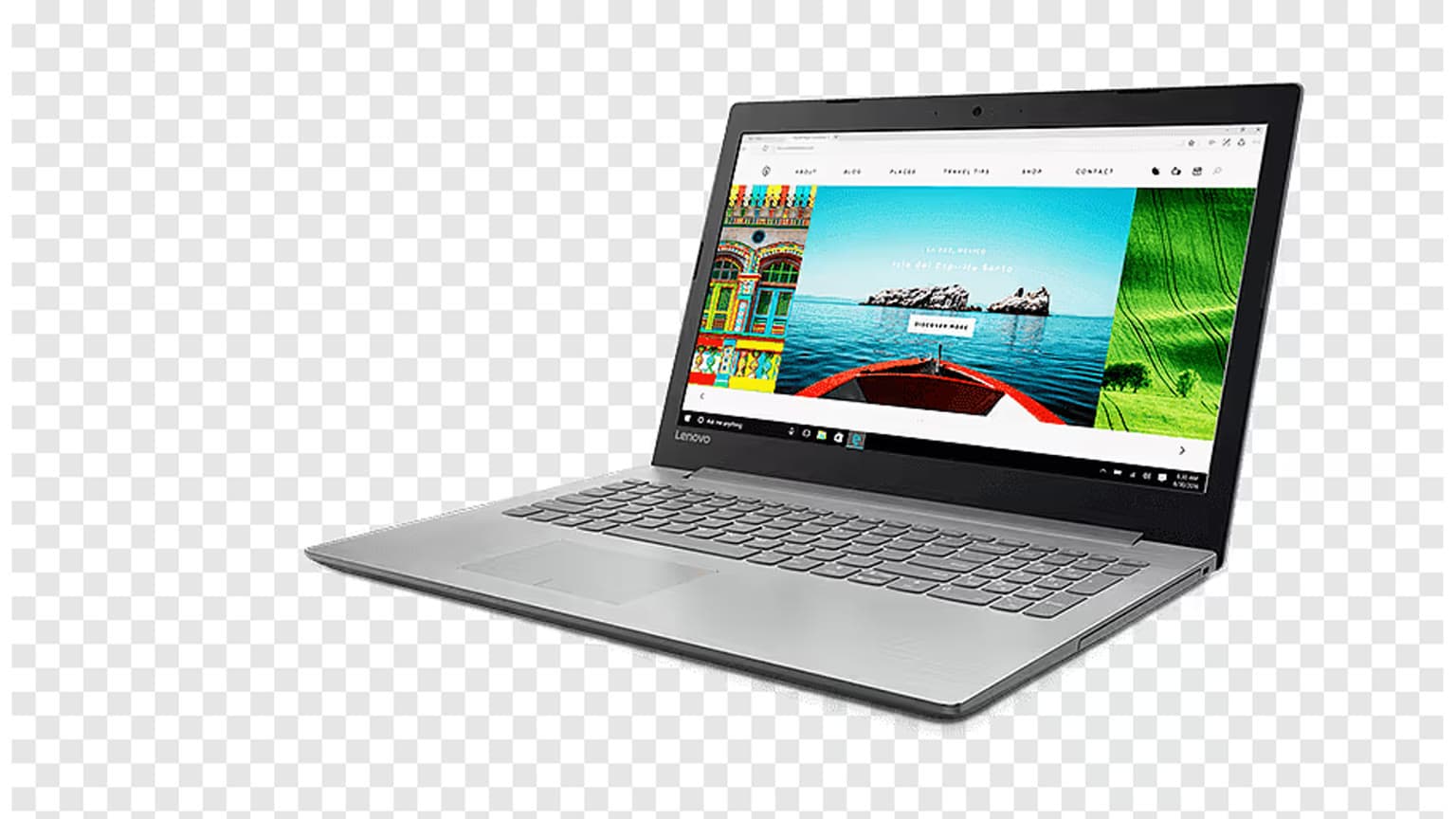
The Lenovo IdeaPad Slim 3 15IRH8 is currently listed on Ogabassey at ₦651,600 and marked available through unmanaged catalog stock. It is a sensible used Lenovo laptop for school, office work, spreadsheets, browsing and everyday multitasking, but buyers should verify battery health, charger, Windows setup, warranty or return terms, and the exact 16GB/512GB configuration before payment.
The Lenovo IdeaPad Slim 3 15IRH8 fits the buyer who wants a modern 15.6-inch Windows laptop shape without paying gaming-laptop money. Its catalog configuration combines an Intel Core i5-13420H processor, 16GB RAM and 512GB NVMe SSD storage, so the strongest use cases are school projects, office documents, browser-heavy work, video calls, accounting tools, light coding, content management systems and multitasking across several everyday apps.
It is less suited to buyers whose first question is gaming performance, GPU rendering, serious 3D work, heavy Adobe timelines or long unplugged field work. The listed graphics are Intel UHD Graphics, which means this is an integrated-graphics laptop. That is fine for productivity, streaming and light creative jobs, but it is not the same purchase as a Lenovo Legion or other dedicated-GPU machine in Gaming Laptops.
For Nigerian buyers, the practical appeal is the balance: 16GB RAM gives more breathing room than older 8GB office laptops, 512GB SSD storage is workable for school and business files, and the 1.62kg starting weight keeps it portable enough for commuting. The caution is condition. Since this is listed as used, the value depends on the physical unit, the battery report, the charger and the after-sales terms offered at checkout.

The important catalog-verified facts are straightforward. Ogabassey lists the Lenovo IdeaPad Slim 3 15IRH8 at ₦651,600, in used condition, with availability marked as in stock even though the numeric stock quantity is zero because the product uses unmanaged catalog stock. That means shoppers should treat the page as an available catalog listing, then confirm live availability and delivery timing before checkout.
| Entity | Attribute | Value | Buyer meaning |
|---|---|---|---|
| Lenovo IdeaPad Slim 3 15IRH8 | Current Ogabassey price | ₦651,600 | Use this as the current catalog price, not a historical discount claim. |
| Lenovo IdeaPad Slim 3 15IRH8 | Availability | In stock, unmanaged catalog stock | Confirm live availability before payment because stock is not capped by the numeric quantity. |
| Lenovo IdeaPad Slim 3 15IRH8 | Condition | Used | Inspect battery, body, ports, keyboard, screen and charger package. |
| Category | Laptops | Lenovo everyday laptop | Best compared against other productivity laptops, not gaming laptops. |
| Display | Size and type | 15.6-inch FHD IPS anti-glare | Good size for spreadsheets, school work and desk use. |
| Display | Resolution and refresh rate | 1920x1080, 60Hz | Standard productivity display; not a high-refresh gaming panel. |
| Performance | Chipset | Intel Core i5-13420H | A stronger everyday CPU class than many low-power entry office chips. |
| Performance | CPU | 8 cores / 12 threads | Useful for multitasking, browser tabs and office workloads. |
| Graphics | GPU | Intel UHD Graphics | Integrated graphics; avoid buying it for demanding gaming or GPU rendering. |
| Memory | RAM | 16GB | Good baseline for 2026 productivity use. |
| Storage | SSD | 512GB NVMe SSD | Enough for most school and office users; media-heavy users may need external storage. |
| Warranty/trust | Used-laptop checks | Not listed as a fixed warranty term in catalog | Ask for warranty or return eligibility, battery status and delivery timing before checkout. |
| Alternatives | Different buyer need | MacBooks or gaming laptops | Choose those categories when software fit or graphics performance matters more. |
Lenovo’s official PSREF for the IdeaPad Slim 3 15IRH8 family backs the general platform context: 13th Gen Intel H-series Core i5/i7 options, Intel UHD integrated graphics, soldered memory, M.2 NVMe SSD storage, a 15.6-inch FHD anti-glare display family, USB-C, HDMI, USB-A, card reader and a round-tip power connector. Ogabassey’s SKU metadata narrows the listed catalog unit to Core i5-13420H, 16GB RAM, 512GB SSD and Arctic Grey.
The Core i5-13420H matters because it is not the same class as older low-power dual-core machines that struggle under modern browser workloads. For a student or office buyer, the more relevant question is not whether it can post a benchmark number, but whether it has enough CPU and memory headroom for routine pressure: Chrome tabs, Microsoft Office, Google Workspace, Zoom or Teams calls, accounting software, PDFs and light photo edits. On paper, this configuration is better aligned with that use than a cheaper 8GB laptop with slower storage.
The 16GB RAM listing is important for longevity. In 2026, 8GB can still work for basic use, but it leaves less room once browser tabs, antivirus, cloud sync and chat apps are open. The Lenovo official PSREF indicates memory on this family is soldered and not upgradable, so buyers should not treat RAM as something to fix later. If you buy this unit, buy it because the 16GB configuration already matches your expected workload.
The 512GB NVMe SSD is a reasonable middle ground. It should be enough for documents, school files, business software, presentations and moderate media storage. Buyers who keep large video projects, raw photo libraries or many offline movies should budget for external storage. Since the laptop has no listed card-slot storage expansion in the Ogabassey matrix, do not assume removable storage will solve every capacity issue without confirming the exact unit’s ports and card reader behavior.
The 15.6-inch FHD IPS anti-glare screen is a practical productivity size. It gives more room than 13-inch and 14-inch machines for spreadsheets, split-screen browser work and document editing, while staying portable enough for school or office movement. The trade-off is the 60Hz refresh rate. That is normal for general work but not the display spec a competitive gamer would prioritize.
A used laptop decision should never stop at processor, RAM and storage. The first inspection point is battery health. Lenovo’s official platform data lists a 47Wh battery option for the family, but the actual battery life of a used unit depends on age, charge cycles, Windows power settings, screen brightness and previous use. Ask for battery health context where available and test whether it charges steadily, sleeps properly and holds charge under normal browsing or video playback.
The second check is power. The official spec family includes a 65W round-tip adapter, while the port list also includes USB-C with Power Delivery support on the platform. For this used listing, confirm the included charger, wattage, plug condition and whether the laptop charges from the supplied adapter without disconnecting when moved. In Nigeria, charger replacement quality varies, and a weak or wrong charger can make an otherwise good laptop frustrating.
The third check is the display and hinge. Open a white page, a dark page and a video before accepting the unit. Look for pressure marks, dead pixels, flicker, uneven brightness and hinge wobble. Anti-glare panels are useful under office lighting, but scratches and keyboard rub marks can still affect comfort. Also test the keyboard, numeric keypad, touchpad, webcam, microphone, speakers, headphone jack, HDMI, USB-A, USB-C and Wi-Fi.
Finally, confirm the operating system. The catalog metadata lists FreeDOS, and Lenovo’s PSREF family allows no-preload operating system variants. That means the buyer should verify whether Windows is installed, licensed and updated on the specific Ogabassey unit before checkout. A laptop can be good value and still require extra setup time if the OS situation is not clarified.

The biggest trade-off is graphics. Intel UHD Graphics keeps the laptop focused on mainstream productivity. It can handle everyday display output and simple media tasks, but it is not the right anchor for buyers asking for a gamer Lenovo Legion Pro 5i-style machine, a dedicated NVIDIA GPU or high-refresh OLED panel. Site-search interest around Lenovo gaming laptops is a useful reminder that many buyers use the Lenovo name broadly; the IdeaPad Slim 3 and Legion lines are built for different jobs.
The second trade-off is upgradeability. The official Lenovo PSREF for this family lists soldered memory with no slots, so the 16GB RAM configuration should be treated as the ceiling. Storage is more flexible because the platform supports an M.2 SSD slot, but any future upgrade still depends on service access, compatible drive size and warranty implications. If you expect to keep many apps and files locally for years, clarify upgrade options before purchase.
The third trade-off is warranty certainty. The product snapshot does not give a fixed warranty period for this individual used unit. Lenovo’s official documentation describes possible base warranty configurations for the model family, but used-device warranty coverage can differ by seller, region and unit history. For an Ogabassey purchase, ask about return eligibility, delivery timing, charger/package contents and what happens if the laptop arrives with a battery, display or charging fault.
Start with Ogabassey Laptops if your priority is comparing everyday Windows laptops by RAM, storage, screen size and price. This Lenovo makes the most sense when you want a 15.6-inch productivity machine with 16GB RAM and a modern Intel H-series processor at a used-device price. If a smaller body, OLED screen, stronger battery life or lighter travel weight matters more, compare other laptop listings before committing.
Choose MacBooks when macOS, long battery behavior, Apple ecosystem continuity or specific creative apps matter more than Windows flexibility. Do not buy a Windows Lenovo simply because it has more familiar specs if your workflow depends on macOS-only tools. On the other hand, do not pay MacBook money if your daily work is browser, Office, school portals and basic business software.
Choose gaming laptops when graphics performance is central. If your work includes modern AAA games, CUDA workflows, 3D modeling, GPU rendering or high-refresh competitive play, this IdeaPad’s Intel UHD Graphics is the wrong spec anchor. A related Ogabassey guide such as Lenovo Legion Slim 5 used-gaming checks is a better comparison point for dedicated-GPU risks, thermals and charger inspection.
If your main concern is buying used safely rather than picking Lenovo specifically, Ogabassey’s used-device guidance across categories can still help. For example, the used/open-box tablet checklist covers the same discipline of checking condition, accessories and support terms before paying, even though the product category is different.
Buy the Lenovo IdeaPad Slim 3 15IRH8 at ₦651,600 if you want a used 15.6-inch Lenovo productivity laptop with Core i5-13420H performance, 16GB RAM, 512GB NVMe storage and a practical FHD anti-glare screen. It is strongest for school, office work, browser multitasking, spreadsheets and general business use. The 16GB RAM listing is especially important because the model family’s memory is not positioned as user-upgradable.
Skip it, or compare another category first, if you need dedicated graphics, high-refresh gaming, heavy creator performance, guaranteed all-day unplugged use or a clearly documented warranty package before inspection. The catalog facts are good for its class, but the used condition makes verification the deciding step: battery health, charger, ports, screen, OS setup, warranty or return eligibility, and live availability should all be confirmed before checkout.
For school and office work, prioritize at least 16GB RAM, SSD storage, a comfortable display and clear warranty or return terms. This Lenovo IdeaPad Slim 3 15IRH8 fits that brief better than many older 8GB laptops because it lists 16GB RAM, 512GB NVMe storage and a 15.6-inch FHD anti-glare screen.
It is not the right choice for serious gaming. The listed GPU is Intel UHD Graphics, so it is better for productivity, browsing, streaming and light tasks. For gaming, compare dedicated-GPU options under Ogabassey Gaming Laptops instead.
Check CPU class, RAM, SSD size, display condition, battery health, charger, keyboard, ports, Wi-Fi, webcam and operating-system status. Also confirm warranty or return eligibility and delivery timing. For this Lenovo, the 16GB RAM, 512GB SSD and used condition are the key buying checks.
A MacBook is worth considering if macOS, Apple ecosystem features, battery behavior or specific creative apps are central to your work. For Windows-first school, office and business tasks, this Lenovo may be more practical if the used unit passes condition and warranty checks.