Buying Guides
HP • ₦782,000
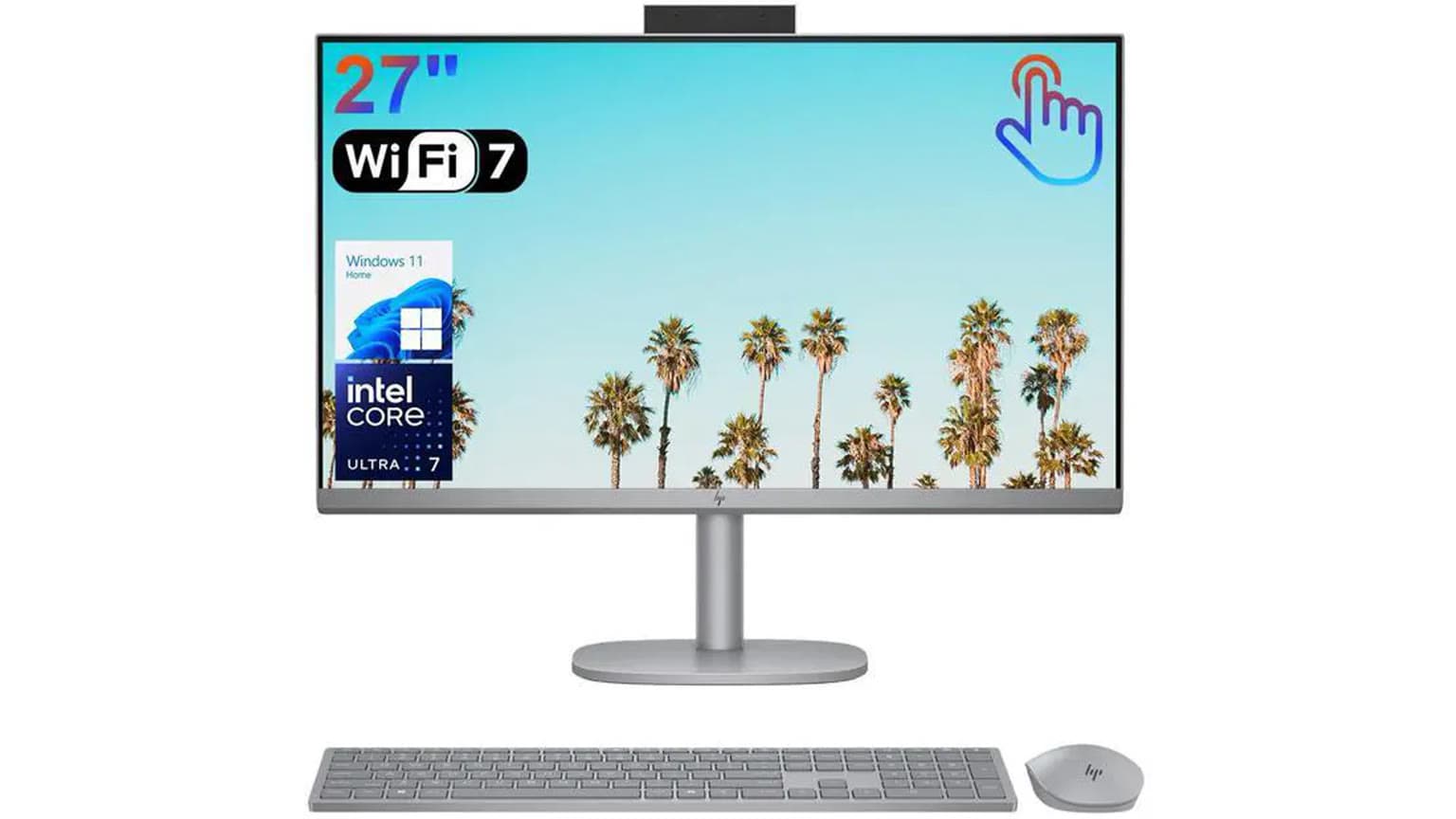
The HP 27-CR2067 All-in-One suits buyers who want a clean desk PC with a 27-inch touchscreen, 32GB RAM and 1TB SSD. Ogabassey lists it at ₦1,769,000 and available as catalog stock as of 2026-09-07, but confirm the live product card before payment.
The HP 27-CR2067 All-in-One is not trying to solve the same problem as a gaming laptop, a MacBook, or a compact mini PC. Its main value is desk simplicity: display, computer, webcam area, speakers and power are brought into one desktop setup. For a Nigerian office, school admin desk, home study corner, clinic front desk, POS-adjacent workstation or remote-work space, that can be more practical than buying a separate monitor, desktop tower, speakers and cables.
Choose this HP if the computer will mostly stay in one place and the buyer values a larger screen more than portability. A 27.0-inch display gives spreadsheet users, accountants, admin staff, online tutors, designers working on light layouts, and multitasking office workers more room than a typical 14-inch or 15.6-inch laptop. The touchscreen also makes sense for reception desks, browser-based forms, classroom demonstrations and family use where tapping through menus is easier than relying only on a mouse.
The catalog-verified configuration is strong for normal productivity: Intel Core Ultra 7 255U Processor, 32GB RAM and 1024GB storage. That combination is more than enough for basic browsing and document editing, but it gives breathing room for heavy Chrome tabs, Microsoft Office, video meetings, accounting software, cloud dashboards and light creative work. It is not the right first pick for buyers whose priority is high-end gaming, battery-powered mobility or workstation-class graphics, because the Ogabassey snapshot does not list a dedicated GPU, battery life claim or gaming display refresh rate.
For the current Ogabassey listing, start with the HP 27-CR2067 All-in-One product page, then compare the wider Desktops category if your buyer requirement is more about upgradeability, graphics or lower total cost than desk neatness.

The important thing with an all-in-one desktop is that the screen choice is part of the computer choice. On a tower PC, you can replace the monitor later. On an all-in-one, the 27-inch FHD IPS touchscreen is central to the value. Full HD on 27 inches is large and readable, but it is not as sharp as a 27-inch QHD or 4K monitor. That matters if the user works with very fine text, large spreadsheets, detailed design canvases or multiple windows side by side. It is still practical for typical office work, web apps, online meetings, learning platforms and media playback.
The Intel Core Ultra 7 255U Processor points this machine toward modern productivity rather than older budget-desktop behavior. Because the product snapshot does not include benchmark results, thermal readings or fan-noise measurements, this draft should be read as catalog-guided buying advice, not a hands-on performance review. The safe buyer expectation is fast day-to-day responsiveness when paired with the listed 32GB RAM and 1TB PCIe NVMe SSD, especially for office suites, browser workloads, cloud tools and video calls.
RAM is a major selling point here. Many office desktops and all-in-ones still appear with 8GB or 16GB RAM, which can become limiting when staff keep many browser tabs, Teams or Zoom, WhatsApp Desktop, Excel files and dashboards open at the same time. The listed 32GB RAM gives this HP more headroom for multitasking and helps extend its useful life for businesses that do not want to replace a workstation quickly.
The listed 1024GB storage is also practical for Nigerian buyers who may not want to depend entirely on cloud storage or fast external drives. A 1TB SSD gives space for documents, local media, school files, offline work folders and software without forcing early storage cleanup. The product snapshot says there is no card slot, so buyers who move files from cameras or phones by memory card should budget for a USB card reader if needed.
One caution: the catalog does not list the exact port layout, Wi-Fi generation, Bluetooth version, keyboard package, mouse package, webcam specification, operating system edition, plug type or HP part number. Before checkout, ask Ogabassey to confirm those details on the live unit. That matters for offices that need HDMI input or output, Ethernet, multiple USB-A ports, USB-C display support, a specific Windows license, or a UK-style power plug.
| Entity | Attribute | Catalog value or buyer note |
|---|---|---|
| HP 27-CR2067 All-in-One | Ogabassey price | ₦1,769,000, checked from the provided Ogabassey catalog snapshot dated 2026-09-07. Use the live product card for the current offer. |
| HP 27-CR2067 All-in-One | Availability | Listed as InStock with unmanaged catalog stock. Treat as catalog-available, but confirm live availability and delivery timing before payment. |
| HP 27-CR2067 All-in-One | Condition | New. |
| HP 27-CR2067 All-in-One | Category | Desktops, specifically an all-in-one desktop computer. |
| Display | Screen size | 27.0 inches. |
| Display | Resolution | FHD IPS TOUCHSCREEN. |
| Platform | Chipset / processor | Intel Core Ultra 7 255U Processor. |
| Memory | RAM | 32GB DDR5 RAM. |
| Storage | Internal storage | 1024GB / 1TB PCIe NVMe SSD. |
| Connectivity | 5G support | No. This is a desk PC, so plan around Wi-Fi or wired networking if available on the exact configuration. |
| Expansion | Card slot | No. Use an external reader for SD or microSD workflows. |
| Sound | 3.5mm jack | No in the catalog snapshot. Confirm exact audio ports before buying headsets for office calls. |
| Camera metadata | Optical image stabilization | No in the imported catalog matrix. Do not treat this as a camera-performance claim for an all-in-one desktop. |
| Warranty and trust | Pre-payment checks | Confirm warranty or return eligibility, HP model/part number, included accessories, plug type, operating system and delivery timing. |
| Alternatives | When to compare | Compare towers, laptops and gaming laptops if portability, graphics, upgrade paths or specialist software matter more than desk neatness. |
| Decision area | What the catalog supports | Buyer judgement |
|---|---|---|
| Performance | Intel Core Ultra 7 255U Processor with 32GB RAM. | Strong for office multitasking and everyday productivity; not presented as tested workstation or gaming performance. |
| Display | 27.0-inch FHD IPS touchscreen. | Large and useful for desk work, but FHD at 27 inches is more about size than maximum sharpness. |
| Battery | Not listed. | Not a buying point; this is a desktop all-in-one, not a mobile laptop. |
| Thermals | No fan-noise or temperature data listed. | Avoid assuming silent operation or sustained workstation performance without confirmation. |
| Ports | Card slot and 3.5mm jack are listed as No; full USB/HDMI/Ethernet layout is not listed. | Port verification is mandatory before office rollout, headset purchase or monitor pairing. |
| Upgradeability | 32GB RAM and 1TB SSD listed; internal upgrade path not listed. | Buy it for the configuration as sold unless Ogabassey confirms serviceable upgrade options. |
| Warranty trust | Warranty terms not listed in the product snapshot. | Confirm return window, warranty handling and package contents in writing before checkout. |
| Nigeria value | ₦1,769,000 catalog price with a large touchscreen and high memory/storage configuration. | Better value when it replaces a separate desktop, monitor and cable-heavy desk setup. |
| Availability | InStock with unmanaged catalog stock. | Catalog-available, but the live product card should be treated as the final stock and price reference. |
The first trade-off is display sharpness. A 27-inch screen is comfortable, but FHD resolution spreads pixels over a larger area than a smaller laptop display. Buyers who read documents at normal desk distance may prefer the size. Buyers who edit dense layouts, code for long hours, or expect very crisp text should compare with higher-resolution monitors or premium laptops before committing.
The second trade-off is repair and upgrade flexibility. All-in-one desktops keep the desk clean, but they usually concentrate more parts behind the display than a tower. That can make future screen, board, storage or thermal servicing more model-specific. The provided catalog confirms 32GB RAM and 1TB SSD, which reduces the immediate need to upgrade, but it does not confirm whether RAM or storage are user-accessible. For a business purchase, ask whether Ogabassey can support RAM, SSD, power adapter and display-related service after purchase.
The third trade-off is ports. The catalog specifically says no card slot and no 3.5mm jack. It does not list the full rear and side I/O. That means you should verify how many USB-A ports are present, whether there is USB-C, whether Ethernet is included, and whether HDMI supports input, output or neither on this exact model. In many Nigerian offices, small port details decide whether a printer, barcode scanner, external monitor, UPS, headset, webcam or LAN cable will work without extra adapters.
The fourth trade-off is mobility. If the buyer moves between home, office, school and client sites, a laptop from the Ogabassey Laptops section will be the more natural category. If the buyer wants macOS, long battery life and Apple-specific software, compare the Macbooks category instead. If the buyer wants high-refresh gaming or dedicated graphics, the Gaming Laptops category is a more relevant starting point than this all-in-one.

Within Ogabassey, the closest comparison path is not only another HP all-in-one. The better comparison depends on the reason you are buying. If the goal is a reception desk, online-class station, office admin system or family desktop, an all-in-one is attractive because it reduces clutter and gives a large built-in screen. If the goal is long-term component flexibility, a tower desktop may be easier to service or pair with a higher-resolution monitor.
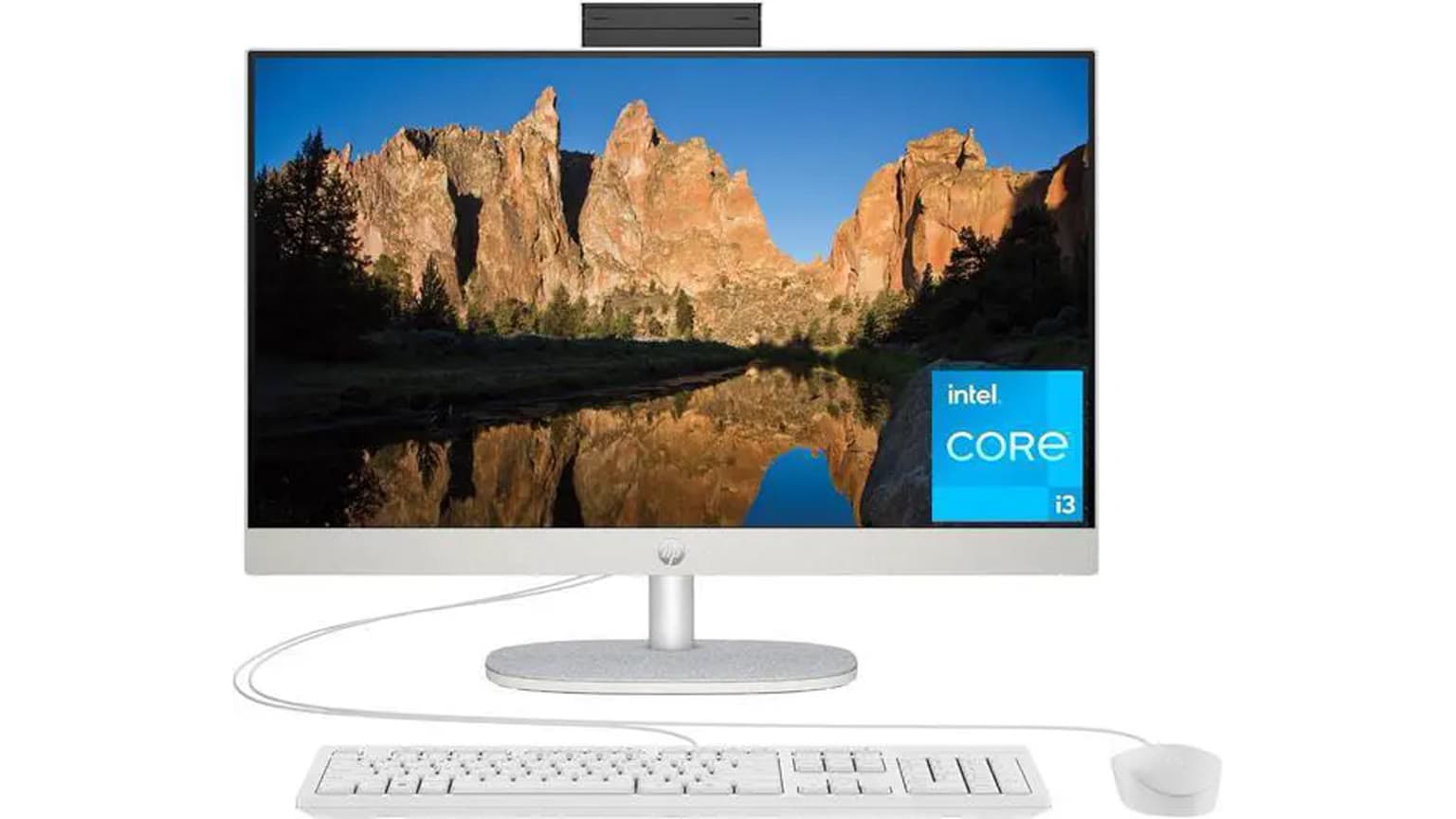
For buyers trying to spend less, the related Ogabassey guide to the HP All-in-One 24-cr0063nh gives useful context on a smaller touchscreen desk PC. That kind of alternative may suit front-desk and student use where a 24-inch screen is enough and the budget matters more than maximum RAM.
For buyers deciding between an all-in-one and a conventional office desktop, the HP Elite Tower 600 G9 office desktop guide is the more relevant comparison. A tower can make sense when the business already owns monitors, needs easier internal servicing, or wants to choose a separate display size and resolution. The HP 27-CR2067 makes more sense when the buyer wants the screen and computer as one neat unit.
Against business laptops such as the HP EliteBook family, the difference is simple: the all-in-one wins on screen size and desk comfort, while a laptop wins on mobility and power backup during outages if its battery is healthy. If power stability is a major issue in your location, remember that an all-in-one desktop needs external backup from an inverter or UPS. A laptop has its own battery, but typically gives a smaller screen unless you add a monitor.
The product snapshot lists the HP 27-CR2067 All-in-One as available, with unmanaged catalog stock. That means the item is treated as catalog-available even though the numeric stock quantity is not used as a hard cap. For a buyer, the practical rule is straightforward: use the body price as an editorial snapshot, then confirm the current live price, stock, delivery timeline and variant details on the product page before paying.
For warranty and trust, ask for the exact HP model or part number, serial-number eligibility process, included keyboard and mouse, power cable type, operating system edition, and return terms. Also confirm whether the touchscreen is covered under the same warranty process as the computer, because display-related issues can be more important on an all-in-one than on a tower desktop.
If buying for a company, document the intended use before ordering: number of users, required applications, printer or scanner needs, network setup, meeting software, external display requirements and backup-power plan. This avoids buying a clean-looking desktop that later needs several adapters or cannot connect to an existing office accessory.
Buy the HP 27-CR2067 All-in-One if you want a premium-feeling desk PC with a large 27-inch touchscreen, 32GB RAM and 1TB SSD, and if the machine will stay in one office, study or reception area. At the provided Ogabassey snapshot price of ₦1,769,000, its strongest argument is not raw gaming power; it is a clean, capable, high-memory desktop setup in one package.
Pause before buying if you need dedicated graphics, confirmed upgrade access, a sharper-than-FHD 27-inch display, built-in battery backup, a headphone jack, a memory-card slot or a known set of ports. In those cases, compare other desktops, laptops, Macbooks or gaming laptops on Ogabassey before checkout. The best next step is to open the live HP 27-CR2067 product card, confirm the exact configuration and warranty context, and only then treat the listed price and availability as ready for purchase.
Yes, based on the catalog specs. The Intel Core Ultra 7 255U Processor, 32GB RAM and 1TB SSD are well suited to office multitasking, browser-heavy workflows, Microsoft Office, video meetings and admin dashboards. This is catalog-based guidance, not a hands-on benchmark claim.
No. The Ogabassey catalog lists 5G support as No. For internet access, confirm the exact Wi-Fi and Ethernet options on the live unit, especially if it will be used in an office with wired networking.
Buy it instead of a laptop only if the computer will mostly stay on one desk and you value the 27-inch touchscreen. Choose a laptop if you need battery power, portability between locations, or easier use during power outages without a UPS or inverter.
Confirm the live price, availability, HP model or part number, warranty or return eligibility, included keyboard and mouse, operating system, plug type, delivery timing and full port layout. The body price is a 2026-09-07 editorial snapshot, not a permanent offer.
Catalog-linked prices update automatically. Historical and other quoted prices remain as written. Open the product page to confirm the current price, selected variant and availability before buying.